

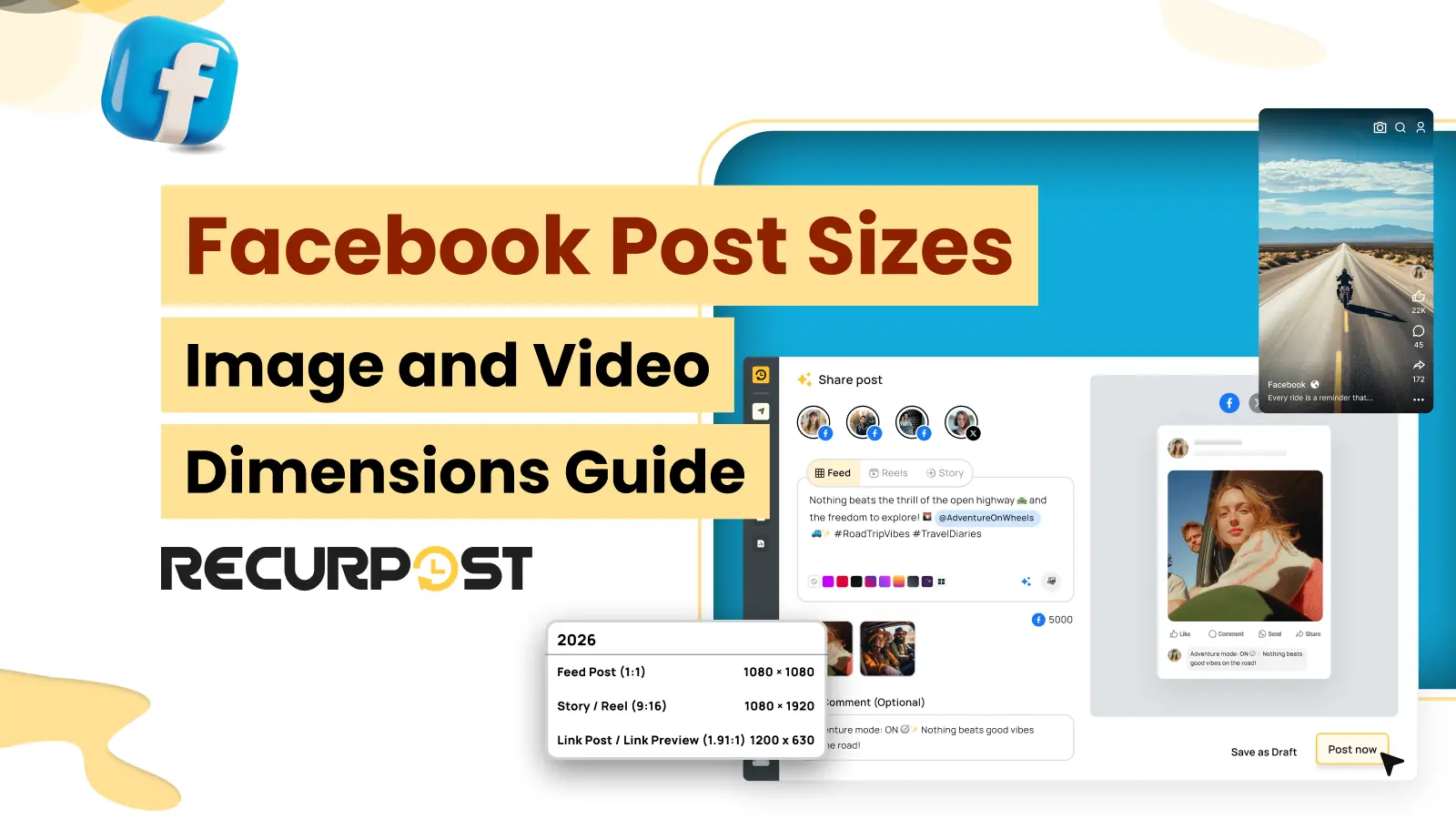
The Facebook feed post size is 1080×1350 pixels (4:5 portrait), or 1080×1080 (1:1) when one asset has to work across several networks. Link previews use 1200×630, Stories and Reels use 1080×1920, and carousel cards use 1080×1080. Cover, profile, and Group sizes, with every file cap, are in the table below.
Publishing Facebook posts with the wrong dimensions is a common mishap that most agencies find out after they schedule them. For example:
- An image looks perfect when you schedule it, but Facebook crops it in the feed if the dimensions are wrong.
- A designer approves an image based on the preview, but the live post renders differently across surfaces.
- Feed posts, Stories, Reels, and carousels each require different aspect ratios, making a single export unreliable across formats.
- Facebook’s heavy image compression can make your graphics look blurry or pixelated. This leaves clients questioning why their sharp, professional designs look low-quality once published.
- Cover photos crop differently on mobile vs desktop. As a result, profile images get masked to a circle that slices off the content.
This results in hours of content preparation and scheduling becoming unproductive. In many cases, agencies remain unaware of these Facebook post size errors because their scheduling tools never flag them.
RecurPost helps prevent such issues by publishing Facebook posts in the exact dimensions the platform expects. This helps ensure that client content for Pages, Groups, and Profiles is published without cropping, rejection, or quality loss.
RecurPost’s Facebook post scheduler handles every publishing surface where Facebook permits API access. For Profile Stories and certain Group post types, the Graph API restricts direct publishing.
As a result, the mobile reminder workflow is used to manage those cases. Facebook Ads creative sizing is handled within Ads Manager and falls outside the RecurPost scheduling workflow.

Facebook Post Sizes at a Glance
The summary below covers every organic Facebook surface RecurPost publishes to, with Facebook’s headline spec on the left and the most common production note on the right.
| Format | Recommended size | Aspect | Facebook caps/notes |
| Feed image (portrait) | 1080×1350 | 4:5 | JPEG / PNG; takes the most mobile feed height; RecurPost accepts up to 30 MB and compresses at publish |
| Feed image (square) | 1080×1080 | 1:1 | JPEG / PNG; safest when one asset is reused across networks; RecurPost accepts up to 30 MB and compresses at publish |
| Feed image (link share) | 1200×630 | 1.91:1 | 8 MB OG cap; 600×315 floor for large card; 200×200 absolute min |
| Feed video | 1280×720 or 1080×1080 | 9:16 to 16:9 | MP4 / MOV, H.264 + AAC; up to 10 GB and 240 min; up to 4K |
| Organic carousel | 1080×1080 per card | 1:1 only | 2 to 10 cards; mixed ratios get center-cropped |
| Story image | 1080×1920 | 9:16 | JPEG / PNG; central 1080×1420 safe area (top + bottom 250 px reserved) |
| Story video | 1080×1920 | 9:16 | MP4; 100 MB and 60 sec per segment |
| Reel | 1080×1920 (540×960 min) | 9:16 | MP4 H.264 + AAC; 3 to 90 sec; audio required; 24-60 fps |
| Page profile picture | upload 320×320 | 1:1 | renders 170×170 desktop, 128×128 mobile |
| Page cover photo | upload 1640×624 | ~21:8 | renders 820×312 desktop, 640×360 mobile; central 820×360 visible on both |
| Group cover photo | upload 1640×856 | 1.91:1 | renders 1.91:1 across; central 1640×600 safe area |
Each format is broken down below with the upload constraint Facebook enforces, RecurPost’s safety buffer for that constraint, the fit and non-fit conditions, and a named agency scenario.
Facebook Feed Single-Image Post: 1080×1350 (4:5) or 1080×1080 (1:1)

A single-image post is the format agencies publish most for clients. One image, one caption, straight into the feed. It carries promotions, quotes, product shots, and most day-to-day content.
This is primarily because the entire message is conveyed within a single frame, making image dimensions critical to whether the content is displayed clearly or appears cropped and reduced in quality.
Facebook accepts three aspect ratios for a single feed photo:
- 1:1 square at 1080×1080,
- 4:5 portrait at 1080×1350,
- 1.91:1 landscape at 1200×628 (commonly set to 1200×630).
Use 1080×1350 (4:5) when the image is only for Facebook, and 1080×1080 (1:1) as the safe default when one asset has to work across several networks. A square image displays without cropping on both desktop and mobile feeds. Uploading a square image to a link post may cause Facebook to add white padding on the sides. This happens to preserve the original aspect ratio. For optimal display, the image format should match the intended post type.
A 4:5 portrait at 1080×1350 occupies more mobile feed height than a 1:1 square, which keeps the post on screen longer during a scroll. Facebook usage skews heavily to mobile, so the vertical format is the one that gains from that extra height. If the image needs maximum visibility, post it at 1080×1350 rather than square.
RecurPost’s composer accepts image uploads up to 30 MB. Anything over Facebook’s limits triggers RecurPost’s resize pipeline, including stripping metadata first, scaling the longest edge down to 1920 pixels if needed, then iteratively dropping JPEG quality or reducing PNG dimensions via ffmpeg. As a result, the file lands inside Facebook’s window every time.
Facebook Video Feed Post: (1280×720 or 1080×1080, ≤ 10 GB and 240 Min)

A video feed post is the format agencies use for demos, promos, client testimonials, and any message that needs motion. Facebook feed videos accept any aspect ratio from vertical 9:16 to landscape 16:9, including square (1:1) and vertical 4:5.
- Use 1280×720 for standard 16:9 landscape video, which suits horizontal content like tutorials and vlogs and reads well on desktop.
- Use 1080×1080 for a 1:1 square, which takes about 78% more screen space than landscape on mobile and tends to earn higher engagement.
- Whatever the shape, upload at 1080p or higher, because Facebook re-encodes every video and cannot add detail back to a low-resolution file.
Facebook auto-plays it muted as people scroll, so the first frame and the dimensions do most of the work. It only accepts organic feed video as MP4 or MOV with H.264 video and AAC audio, up to 10 GB per file and 240 minutes in length.
Facebook supports resolutions up to 4K. Wrong specs get the video cropped, softened, or rejected at upload.
Plus, hook viewers in the first 2 to 3 seconds, since the video auto-plays muted in the feed. Add captions for user engagement. This is because many people watch with the sound off. For maximum mobile reach, post the video as square or 4:5 rather than landscape.
In RecurPost, you upload the video, add the caption, set a custom thumbnail, then pick the Page and time. Feed videos are published directly at the scheduled time, so a video post to a Page needs no manual step. RecurPost downscales the output to a 1280×720 maximum as a safety buffer. As a result, the file always lands well inside Facebook’s processing window.
Therefore, a 4K landscape source comes out at 1280×720, and a 1080×1080 square comes out at 720×720. RecurPost clamps frame rate into the 24-60 fps range, and out-of-range aspect ratios get padded onto the nearest in-range canvas instead of being squashed.
You can preview the feed videos in real-time to see how the video, thumbnail, and caption will appear in the feed. This allows you to verify that the content appears correctly before it is published. As a result, errors get caught early, because Facebook fails uploads that are missing media, in an unsupported format, or oversized.
Facebook Link Share Post (1200×630 OG Image, ≤ 8 MB)

A link-share post is how agencies drive traffic off Facebook to a client’s site, blog post, or landing page. You add the URL to the caption, and Facebook builds a preview card from the destination page’s Open Graph (OG) meta tags. This card carries the image, headline, and description, and it is the part people actually click. Therefore, its specs decide whether the link looks worth tapping.
Agencies don’t need to upload the preview image to the scheduler. Facebook pulls it from the page’s Open Graph meta tags. So the right size lives on the destination page, not in the post itself.
Facebook recommends setting the OG image to 1200×630 pixels at a 1.91:1 ratio, and the file must be under 8 MB. This is the size Facebook defined when it created the Open Graph protocol, and it remains the best default in 2026.
It renders crisp across the feed, Messenger, and the sidebar. Images smaller than 600×315 show as a small thumbnail instead of the large card. If either side drops below 200×200, Facebook shows no image at all, just the plain URL.
RecurPost’s composer reads the destination URL’s OG card before scheduling. As a result, a broken Open Graph image that is oversized, missing, or smaller than 600×315 surfaces before publishing.
An agency scheduling a client’s weekly blog round-up needs every link card to render with the hero image, not the favicon. RecurPost resolves the OG card in preview before scheduling. A broken OG image on the source page shows up before publishing. This way, the agency fixes the source page once, and the same correct card renders across every recurring post.
Facebook Organic Carousel (1080×1080 per Card, 2-10 Cards)

Agencies use organic carousels to tell a story, walk through step-by-step content information, or show a product range without crowding one frame. It also lifts dwell time, since carousels make complex topics easier to digest across slides, and every swipe is another second on the post.
To make carousels perform, every card has to share the same aspect ratio. Facebook locks the whole carousel to the first card’s ratio and crops or pads every card that doesn’t match. Drop a portrait shot in with square ones, and Facebook slices its top and bottom off. Build all cards at 1080×1080, and they display uniformly across the set with no cropping.
RecurPost publishes carousel cards at the 1080×1080 spec. For example, a SaaS client posts a five-slide product update once a week. The agency can stage all five cards in the RecurPost composer and preview the carousel exactly as Facebook will show it.
The agency then queues the post into the client’s Page schedule. A mid-carousel ratio change from 1:1 to 4:5 crops the portrait card down to a square and clips the visible content. Uniform 1:1 across every card is the only safe path.
Facebook Stories (1080×1920, 9:16, 60 sec, 100 MB)

Agencies use Facebook Stories for timely content, like a flash promotion, a behind-the-scenes clip, an event reminder, a quick poll. Since Stories are displayed in full-screen mobile view, vertical formatting is essential for proper presentation.
Build every Story at 1080×1920 in a 9:16 ratio. Anything other than 9:16 gets padded with auto-generated color bars or cropped, which kills the full-screen effect. Facebook overlays the profile picture, name, and close button across the top 250 px.
The reply bar and action buttons occupy the bottom 250 pixels of the screen. To ensure visibility, important visual elements should be kept within the central 1080 × 1420 safe area.
Story video is limited to 100 MB and 60 seconds per segment, the thresholds RecurPost publishes Stories against.
RecurPost outputs Story video at a ≤90 MB safety ceiling, so the codec normalization pass can’t push the file over the 100 MB Story limit. The system enforces a 9:16 aspect ratio exclusively. Source files outside this range are padded onto a 1080 × 1920 canvas rather than stretched. Frame rates are also restricted to a range of 24–60 fps.
RecurPost’s Story publishing splits into two flows because of the Facebook Graph API. Pages where Facebook permits Story publishing via the API direct-publish at the scheduled time.
Personal Profiles and certain Group post types, where Facebook restricts the Graph API for Stories, use RecurPost’s mobile-notification flow. The queue fires a push to the RecurPost mobile app at post time, and one tap publishes the Story.
Facebook Reels (1080×1920, 9:16, 3-90 seconds)

Facebook Reels is currently one of the platform’s most heavily promoted content formats. It typically generates significantly higher organic reach than standard feed posts. As a result, agencies often rely on Reels to expand a client’s audience. Facebook publishes Reels via the Graph API at 1080×1920 (recommended) with a 540×960 minimum, in a 9:16 aspect ratio.
The Reel must be created using an MP4 container, H.264 video, AAC audio, 24-60 fps, 3 to 90 seconds in duration. An audio track is mandatory, as the Reels endpoint rejects uploads without audio. The Graph API does not publish a hard file-size cap for Reels.
RecurPost forces 9:16 only, normalizes the codec to H.264, and clamps frame rate into a 30-60 fps safety range. This is stricter than the Graph API’s 24-fps floor to keep playback smooth on lower-tier devices.
RecurPost synthesizes a silent stereo audio track at 48 kHz if the source has no audio. This ensures the upload always meets Facebook’s audio requirements.
The tool accepts a separate cover frame at 1080×1920, which lets the agency control how the Reel appears in the client’s grid.
Also, the top 250 px holds the account handle and follow button, and the bottom 250 px holds the caption, audio bar, and engagement buttons. The right edge also stacks the like, comment, and share icons.
Hooks, captions, and any calls to action should be placed within the central 1080 × 1420 safe area. They should also remain clear of the right side of the frame to prevent obstruction by the interface.
Facebook Page Profile Picture and Cover Photo

The profile picture and cover photo are the Page’s storefront. They load before any post, set the first impression, and then mostly stay put. Both crop differently on mobile and desktop; therefore, the safe move is to design for the smaller view and check both before saving.
The profile picture should be a square image uploaded at 320×320 px or larger to stay sharp on high-resolution screens. Facebook renders it as a circle, about 170×170 px on desktop and 128×128 px on mobile. Center the logo and leave padding on all sides, or the circular crop eats into the mark. For a Page, this is almost always the client’s logo.
RecurPost uploads at 320×320 pixels, so the rendered image stays sharp on retina screens. A PNG with a transparent background reads cleanly against Facebook’s chrome and works for a wordmark or logo. A JPEG with an embedded background color may not integrate well with Facebook’s interface overlays, potentially affecting visual consistency.
The cover photo displays at about 820×312 px on desktop and 640×360 px on mobile, with the sides cropped on mobile. Design for the 820×312 desktop view, but upload it at 1640×624 px (2x retina) so it stays crisp, because uploading at the exact display size is what makes covers look blurry after Facebook re-compresses them.
RecurPost uploads at 1640×624 pixels, so the image stays sharp at retina resolution. Facebook’s mobile display crops portions of the image that remain visible only on desktop. Therefore, the central 820×360 strip is the only safe area for client logos, taglines, or seasonal hero text.
Facebook Group Cover Photo: 1640×856

A Group cover serves as the wide banner at the top of a Facebook Group’s page. For optimal quality, it should be uploaded at 1640 × 856 pixels in a 1.91:1 aspect ratio. This helps maintain image clarity across standard, retina, and high-resolution displays.
Important design elements should be placed within the center of the cover. Facebook displays slightly different portions of the cover across desktop and mobile views, with part of the height hidden on each. The most reliable safe area is the central 1640 × 600 pixel region.
The Group name and interface buttons are overlaid on the lower portion of the cover. For this reason, text and logos should be kept clear of the bottom edge. Client logos and headlines should be placed within the central safe area. This ensures the cover remains clear and visually balanced across both mobile and desktop views.
A Group cover and a Page cover are not the same shape, so they are not interchangeable. A Page cover is uploaded at 1640×624 pixels, a much wider and shorter ~21:8 banner.
A Group cover requires dimensions of 1640 × 856 pixels with a 1.91:1 aspect ratio. Using the same asset for both Page and Group covers can result in improper cropping due to differing dimensions. Creating dedicated designs for each format ensures optimal presentation.
Two more details worth knowing are:
- Use JPG for photo-based covers and PNG for designs with text or a logo, and keep the file under about 2 MB so Facebook compresses it less.
- Also, only a Group’s admins and moderators can change its cover, and this change must be completed directly within the group itself.
RecurPost uploads at 1640×856 pixels, so the image stays sharp at retina resolution, with the central 1640×600 strip the safe area on both desktop and mobile.
RecurPost schedules recurring posts across multiple Facebook Groups. Due to native Meta API restrictions on automated group publishing, these posts are deployed via RecurPost’s mobile reminder system.
You will receive a notification at your scheduled time, allowing you to instantly confirm and publish the post directly from the mobile app.
Common Facebook Upload Errors and How RecurPost Handles Them

RecurPost’s composer identifies upload-time errors early, helping agencies avoid discovering media-sizing issues during client presentations. Its error catalog covers 850+ documented platform-specific error types. The table below outlines the seven Facebook errors most commonly associated with media sizing. It also includes the buyer-friendly messages into which RecurPost translates each error.
| Facebook Graph API error | What it means | RecurPost behavior |
| “The aspect ratio is not supported” | Source image aspect outside the 4:5 to 1.91:1 range Facebook accepts for organic posts. | RecurPost shows “Crop the image and try to publish it again” with the in-composer image editor opened to the platform-specific crop preset. |
| “The image format is not supported” / resolution too high | Source resolution exceeds the platform processing window. | RecurPost auto-resizes via the dimension-check + resize pipeline (strip metadata, scale to ≤1920-pixel longest edge, then quality reduction) before the upload retries. |
| “The video file you selected is in a format that we don’t support” | Source codec/container outside Facebook’s accepted set. | RecurPost normalizes the codec to H.264 inside MP4 at upload and the next retry publishes cleanly. |
| “There was a problem with your video file. Please try again with another file” | Source video is corrupt, truncated, or otherwise unreadable. | RecurPost runs the source through ffprobe inside the resize pipeline; a source that can’t be probed is rejected at upload with a fix-it instruction. |
| “Missing or invalid image file” | Media URL unreachable at API time. | RecurPost re-uploads the file from its own S3 store rather than from the source URL, so a transient origin outage doesn’t fail the post. |
| “(#324) Requires upload file” | Facebook couldn’t fetch the media. | RecurPost retries the upload from the resized S3 copy with the {basename}_{platform}.mp4 naming convention so the retry uses the already-validated file. |
| “Media download has failed” (Instagram via FB Graph) | Cross-posted IG flow couldn’t pull the media. | RecurPost retries with the resized output and logs the run in video_resize_logs so a repeat failure traces back to the exact ffmpeg fixes that ran. |
Every encoded transformation lands in the video_resize_logs audit table with input attributes, output attributes, the ffmpeg command, the stderr tail, the exit code, and the run duration.
An agency lead can trace any failed publication to the precise resize step applied to the source file. This removes the ambiguity of a generic “Facebook just rejected it” error.
RecurPost Upload Constraints and What Fails Before Facebook Sees It

RecurPost surfaces upload errors at the composer, before the post enters Facebook’s publish queue. It catches the failure at upload time, not as a rejection after a client signs off.
RecurPost’s image pipeline accepts JPEG, PNG, and WebP for Facebook images and accepts uploads up to 30 MB. Anything over Facebook’s image-handling window runs through the resize pipeline automatically:
- strip EXIF metadata first,
- scale the longest edge down to 1920 pixels if needed,
- iteratively drop JPEG quality (or reduce PNG dimensions via ffmpeg) until the file fits.
RecurPost’s video pipeline accepts MP4 and MOV and normalizes the codec to H.264 at upload. The tool runs every source video through a dimension-check + resize pass:
- Compare aspect ratio against the Facebook accepted range (9:16 to 16:9 for feed, 9:16 only for Stories and Reels),
- Scale or pad to fit the platform canvas,
- clamp frame rate,
- downmix audio channels and sample rate if needed,
- normalize the codec,
- cap file size where Facebook enforces one (Stories at 100 MB, with RecurPost outputting at ≤90 MB to stay safely inside).
For feed video, Facebook accepts up to 10 GB and 240 minutes. RecurPost downscales the output to a 1280×720 safety ceiling so a 4K source still lands inside Facebook’s processing window.
The pipeline writes every transformation to a video_resize_logs audit row. As a result, any failed publication can be traced back to the exact FFmpeg processing steps that were applied.
Facebook’s scheduling window of 20 minutes to 29 days from now is enforced inside the composer. You can’t queue a post that Facebook would reject at API time. RecurPost runs per-account time zones on the connected Page, Group, or Profile. Therefore, a US-Eastern Page and a Singapore Page schedule independently against local audiences.
RecurPost’s in-composer preview renders the desktop Page card, the mobile feed card, and the Stories safe-zone overlay. A 12-Page agency batch-uploading 80 posts a week through RecurPost’s CSV bulk uploader gets every encoding issue flagged at upload.
RecurPost flags variable-frame-rate video, an oversized image, or a wrong-ratio carousel card before the post enters Facebook’s queue. Each error shows up in the composer with a fix-it instruction, not at post time in front of a client.
RecurPost’s batch workflow stages creative once in the library and schedules every post in one pass after a bulk preview.
A 4K master file uploaded directly into the composer for a feed photo is automatically processed through the resize pipeline. This removes the need for agencies to manually pre-export the asset at a smaller size.
These dimension checks run inside the RecurPost social media scheduler before anything reaches Facebook, so wrong-ratio, oversized, or wrong-codec media is caught at upload rather than at publish.
Reusing Facebook Media on Instagram, TikTok and Threads
A 1080×1080 square or a 1080×1920 vertical asset can usually move from Facebook to other networks without re-cropping, but each platform sets its own limits and safe areas. Check the target specs before reusing: Instagram post sizes, TikTok video sizes, and Threads image and video specs. The 1200×630 link-share format stays on Facebook, because Instagram has no link-preview post.
Facebook Post Sizes: FAQs
1. Why Does My Facebook Post Look Cropped on Mobile?
Facebook applies a different crop on mobile than on desktop for several formats. A link-share image gets cropped to 1.91:1 even when uploaded square. A Page cover photo gets cropped from 820×312 desktop down to 640×360 mobile, chopping the desktop-only edges.
A Story uses the central 1080×1420 strip because the top and bottom 250 pixels are reserved for Facebook’s UI. RecurPost’s composer renders desktop and mobile views side by side, enabling cropping issues to be detected and resolved prior to publishing.
2. How Many Images Can a Facebook Carousel Hold?
A Facebook organic carousel holds 2 to 10 image cards. A standard multi-photo Page post is different: RecurPost publishes up to 15 photos in one post, or one video, never both. Every card needs to be 1080×1080 pixels at a 1:1 ratio; mixed ratios get center-cropped by Facebook on render. RecurPost previews every card in the composer, so a wrong-ratio card surfaces before the post enters Facebook’s queue.
3. What File Types Does RecurPost Accept for Facebook Posts?
RecurPost accepts JPEG, PNG, and WebP for Facebook images and MP4 or MOV for Facebook video. RecurPost normalizes every video upload to H.264 inside MP4 at the composer, so the file always meets Facebook’s accepted codec set.
It rejects an unreadable or corrupt source at upload (rather than at the Facebook publish call), so the failure surfaces before a client signs off.
4. Why Does RecurPost Ask Me to Tap My Phone to Publish a Facebook Story?
RecurPost directly publishes Stories to Facebook Pages where the Facebook Graph API permits it. For personal Profiles and certain Group post types, RecurPost uses a mobile notification reminder workflow.
This is necessary because the Facebook Graph API doesn’t allow direct Story publishing for those surfaces. RecurPost’s mobile flow keeps the cadence on schedule without handling Profile credentials.
Try RecurPost
RecurPost’s Agency plan covers 20 social accounts (Facebook Pages, Groups, and Profiles included) for $79 per month, with 3 users included and extra teammates at $20 a month each. RecurPost’s 14-day free trial includes full Page, Group, and Profile scheduling with the same composer preview, bulk uploader, dimension-check + resize pipeline.
Agencies can stage real client posts at the dimensions above before paying. See plans and pricing for every add-on with its category and unit price, or start your 14-day free trial with no credit card.