

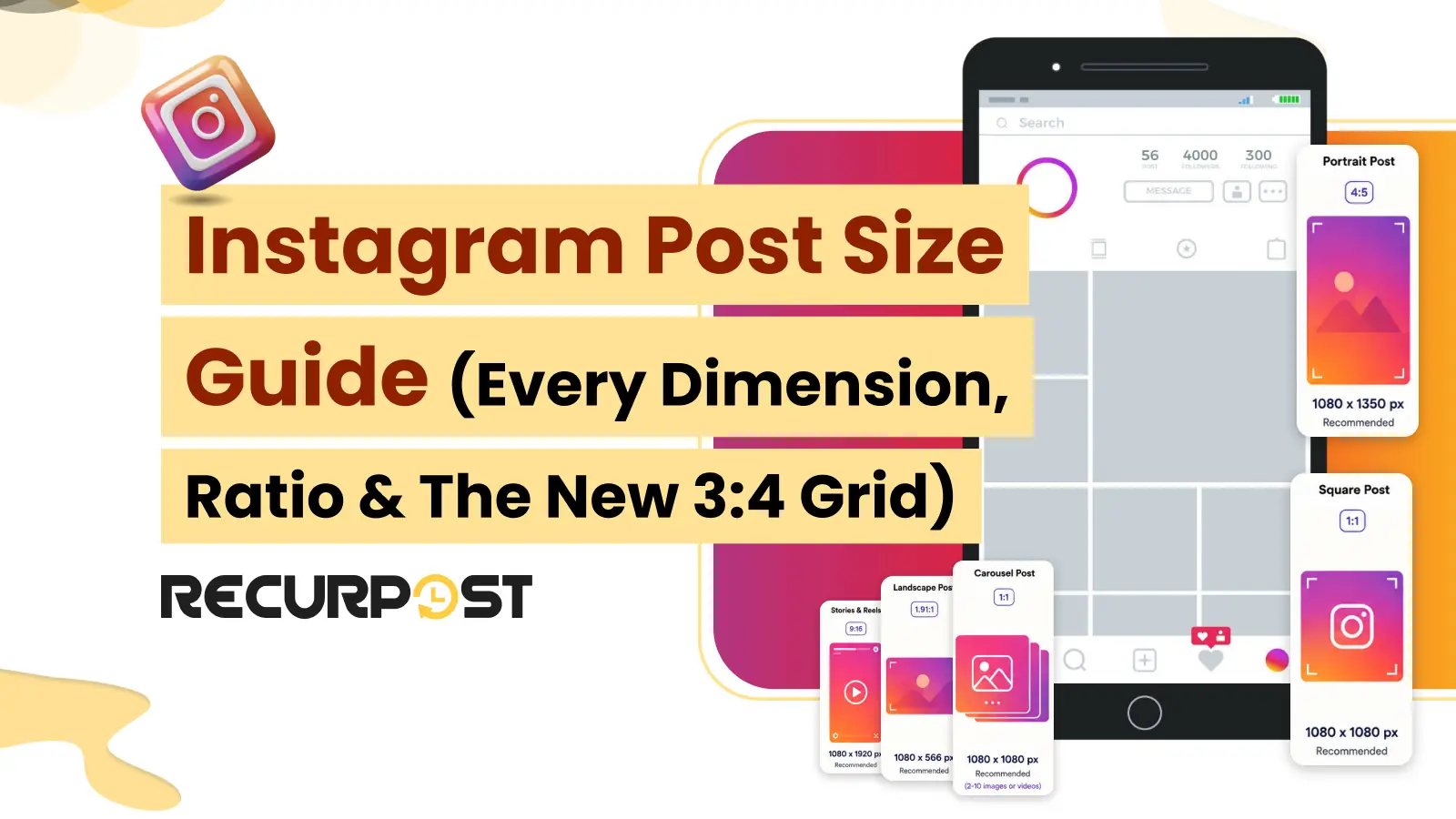
RecurPost schedules Instagram posts at the exact sizes Instagram accepts, so this guide gives you all current dimensions in one place. Instagram changed how it shows your feed in 2025. The profile grid now previews posts at a 3:4 ratio instead of the old square. That single change rewrites how agencies should size every Instagram post in 2026.
This page lists the right pixel size and aspect ratio for feed posts, carousels, Stories, Reels, and profile pictures. It also shows how to crop and schedule posts of the correct size across many client accounts.
Instagram post sizes at a glance (2026 cheat sheet)

The recommended Instagram feed size in 2026 is 1080 x 1350 pixels (4:5 portrait). It fills the most screen space and survives the new 3:4 grid crop. Square is 1080 x 1080 (1:1), landscape is 1080 x 566 (1.91:1), and Stories and Reels are 1080 x 1920 (9:16).
Here is the table for every current Instagram size. Instagram itself works only in pixels, so design to the pixel column. The inch and centimeter columns are conversions at 200 PPI, included for teams who lay out Instagram assets in physical units before exporting.
| Placement | Size (px) | Size (inches) | Size (cm) | Aspect ratio | Notes |
|---|---|---|---|---|---|
| Feed portrait (recommended) | 1080 x 1350 | 5.4 x 6.75 | 13.7 x 17.1 | 4:5 | Fills the most feed and grid space; JPEG under 8 MB for scheduled posts |
| Feed square | 1080 x 1080 | 5.4 x 5.4 | 13.7 x 13.7 | 1:1 | Crops awkwardly in the new 3:4 grid |
| Feed landscape | 1080 x 566 | 5.4 x 2.83 | 13.7 x 7.2 | 1.91:1 | Smallest footprint, avoid for primary posts |
| Carousel (each slide) | 1080 x 1350 | 5.4 x 6.75 | 13.7 x 17.1 | 4:5 | Use one ratio for every slide; up to 20 slides in the app, 10 images or videos when scheduled through RecurPost |
| Stories | 1080 x 1920 | 5.4 x 9.6 | 13.7 x 24.4 | 9:16 | Keep key content off the top 14% and bottom 20%; video caps at 60 sec and 100 MB per card |
| Reels | 1080 x 1920 | 5.4 x 9.6 | 13.7 x 24.4 | 9:16 | Cover and thumbnail upload at the same 9:16; video caps at 15 min and 300 MB via the API |
| Profile picture | 320 x 320 (minimum) | 1.6 x 1.6 | 4.1 x 4.1 | 1:1 | Displayed as a circle |
| Grid preview | 1013 x 1350 | 5.07 x 6.75 | 12.9 x 17.1 | 3:4 | How posts preview on your profile since the 2025 update; a native 3:4 upload is rejected by the publishing API |
Bookmark this table. The rest of the guide explains each placement and the one grid change that catches most agencies out.
Instagram feed post sizes (square, portrait, and landscape)

Instagram feed posts support three aspect ratios: 4:5 portrait, 1:1 square, and 1.91:1 landscape. RecurPost recommends a 4:5 portrait at 1080 x 1350 pixels for almost every feed post in 2026, because the taller frame claims more screen space and fits the new grid.
Picture an agency pushing a single product photo to 10 client accounts. Standardize that asset at 1080 x 1350 so every account looks consistent, with no surprise crops on any single profile.
Square (1:1): 1080 x 1080 pixels
A square Instagram post is 1080 x 1080 pixels at a 1:1 ratio. Square posts are not broken, but they lose height against a 4:5 feed, and the sides get trimmed in the 3:4 grid. Use square only when you reuse one asset across networks and a uniform shape matters more than feed real estate.
Portrait (4:5): 1080 x 1350 pixels
A portrait Instagram post is 1080 x 1350 pixels at a 4:5 ratio. This is the default size for 2026. It takes up the most vertical space in the feed and keeps most of your image visible in the grid. Pick 4:5 for product shots, quote cards, and any post where detail matters.
Landscape (1.91:1): 1080 x 566 pixels
A landscape Instagram post is 1080 x 566 pixels at a 1.91:1 ratio. Landscape has the smallest footprint of the three feed shapes. Use it only when you repurpose a wide asset, such as a blog header, and the small feed size is acceptable.
The 3:4 grid change and what it means for your post sizes

Since Instagram’s 2025 update, your profile grid previews posts at a 3:4 ratio, not the old 1:1 square. Adam Mosseri, Instagram’s head, announced the taller grid that year. Instagram now previews your profile grid at roughly 1013 x 1350 pixels and trims the sides of a 1080-wide post to fit.
The practical takeaway is to separate upload size from preview size. You upload a feed post at 1080 x 1350 (4:5), and Instagram previews it in the grid at about 1013 x 1350 (3:4). The grid crops roughly 67 pixels of width, so keep logos, faces, and text near the center.
Old square posts feel this most. A 1:1 grid that was built before the change now shows side-cropped previews. Plan the next grid in 4:5 and center the focal point, and the profile reads cleanly again.
Instagram carousel post size

Every Instagram carousel slide should use the same size, ideally 1080 x 1350 pixels (4:5). A carousel can hold up to 20 slides in the Instagram app, while a carousel scheduled through RecurPost publishes up to 10 images or videos in any mix. Mixing a 1:1 slide with a 4:5 slide makes Instagram crop unevenly, so the swipe feels jumpy.
A 7-slide educational carousel for a client works best from a single 4:5 template applied to every slide. Instagram now also lets you reorder and replace carousel slides after publishing, so a wrong-order deck is a quick fix rather than a repost.
Instagram Stories size and safe zones

Instagram Stories are 1080 x 1920 pixels at a 9:16 ratio, built for full-screen vertical viewing. Instagram safe zones keep your text visible: keep words and key elements out of the top 14 percent, where the profile and handle sit, and the bottom 20 percent, where the caption, link, reply bar, and music ticker appear.
For a client promo Story, place the call to action in the middle third of the frame. That keeps the offer above the reply bar and below the handle on every phone size.
Instagram Reels size (and cover or thumbnail)

Instagram Reels are 1080 x 1920 pixels at a 9:16 ratio. The cover and thumbnail are uploaded at the same 9:16 aspect ratio, but the grid shows a center-cropped slice of the cover. Keep the cover’s focal point and any on-cover text centered so they can be read in both the full view and the grid.
A Reel cover with centered text survives the grid crop. A Reel cover with text along the bottom edge gets cut, so center it before you schedule.
Instagram image specs for scheduled posts: format, file size, and accepted ratios
Correct pixel dimensions are only part of a valid Instagram upload. A scheduled post reaches Instagram through the publishing API, and the API enforces tighter rules than the app does. An image that posts cleanly from your phone can be refused when a scheduler submits the same file.
| Spec | Instagram publishing API (scheduled feed posts) |
|---|---|
| File format | JPEG only |
| Maximum file size | 8 MB |
| Accepted aspect ratio | 4:5 to 1.91:1 |
| Minimum width | 320 px, scaled up if the file is narrower |
| Maximum width | 1440 px, scaled down if the file is wider |
| Color space | sRGB |
The aspect ratio rule is the one that catches agencies out. A 3:4 image works out to 0.75, which sits below the 4:5 floor of 0.8, so the 1080 x 1440 upload that fills your profile grid edge to edge publishes by hand and fails through a scheduler. That is why 1080 x 1350 (4:5) stays the recommended feed size in 2026: it is the tallest portrait shape that satisfies the grid and the API at the same time.
Format and file size fail the same way. A PNG quote card that looks right in your design tool is not a valid API upload, and a print-resolution export can pass the ratio rule and still break the 8 MB ceiling. Export to JPEG at 1080 pixels wide before you queue anything.
RecurPost’s image editor crops to the Instagram presets before the post is queued, so the ratio is settled at scheduling time rather than at publish time. An image taller than Instagram accepts is padded rather than cropped, so nothing important is cut off. For the same format and file-size rules on every other network RecurPost publishes to, see the social media image sizes reference.
Instagram video specs: Reels and Stories duration, file size, and format
Pixel size is only half of an Instagram video upload. A Reel exported at the correct 1080 x 1920 still fails when the file runs past Instagram’s duration or file-size ceiling, and those ceilings are not the same in the app as they are through a scheduling API.
| Spec | Reels | Stories |
|---|---|---|
| Resolution and aspect ratio | 1080 x 1920, 9:16 | 1080 x 1920, 9:16 |
| Minimum duration | 3 seconds | 3 seconds |
| Maximum duration | 3 minutes in the app, 15 minutes through the API | 60 seconds per card |
| Maximum file size | 300 MB | 100 MB |
| Container | MP4 or MOV | MP4 or MOV |
| Video codec | H.264 or HEVC, progressive scan | H.264 or HEVC, progressive scan |
| Audio codec | AAC, 48 kHz maximum, mono or stereo | AAC, 48 kHz maximum, mono or stereo |
| Frame rate | 23 to 60 fps | 23 to 60 fps |
| Maximum video bitrate | 25 Mbps (VBR) | 25 Mbps (VBR) |
The two Reels duration figures are not a contradiction. Three minutes is the ceiling when you record or trim inside the Instagram app. Fifteen minutes is what Instagram’s publishing API accepts, and a scheduled Reel travels that path. A six-minute client Reel therefore schedules cleanly even though the app itself would refuse the same file.
Stories are the tighter constraint for agency work. A 90-second client video does not publish as one Story card because Instagram caps each card at 60 seconds and splits nothing for you. The 100 MB Story ceiling is also a third of the Reels ceiling, so a long export at a high bitrate can clear the duration rule and still fail on size.
RecurPost reads the video at the scheduled time and flags an over-length or oversized file in the composer before the post reaches Instagram. For the same duration and file-size limits on every other network RecurPost publishes to, see the social media video sizes guide.
Instagram profile picture size

Your Instagram profile picture should be at least 320 x 320 pixels at a 1:1 ratio. Instagram displays it as a circle, so center the logo or face and leave a margin around the edges. For agencies managing many client accounts, a consistent 320 x 320 mark keeps every profile sharp on mobile.
Resize and schedule correctly sized Instagram posts with RecurPost

RecurPost crops your image to every Instagram ratio inside the composer, with presets for the feed (4:5, 1:1, 1.91:1) and for Stories and Reels (9:16). RecurPost resizes your image inside the composer, previews the exact feed, Stories, and Reels render, and schedules the post across many client accounts. This gets sizing right before publishing, though it does not change Instagram’s own ratio limits.
A freelancer scheduling a month of content for 8 client accounts can resize once, check the grid, and queue everything in a single pass. RecurPost bulk scheduling handles a month of posts at once through a CSV upload, so a full content calendar goes out at the right size without per-post fiddling.
Crop to the right ratio in the image editor
RecurPost’s built-in image editor crops to each Instagram placement with one-click presets. Pick the 4:5 feed preset for a standard post, or the 9:16 preset for a Story or Reel, and the image cropper trims it to the exact pixels Instagram wants.
Preview the feed, Stories, and Reels render
RecurPost’s post preview shows how the post will look in each placement before it publishes. It helps you catch a bad crop on screen instead of after it goes live on a client account.
Plan the 3:4 grid before publishing
RecurPost’s Instagram grid planner previews how upcoming posts line up in the 3:4 grid. You can see the feed take shape and reorder posts so a client profile looks intentional.
For the full publishing workflow, use the RecurPost Instagram scheduler. It helps you connect the account, schedule each post, and send it at the right time.
Common Instagram sizing mistakes (and how to fix them)

Most Instagram sizing problems come from uploading the wrong ratio or a file that is too small. Each one has a clear fix.
- Blurry uploads: the image is under 1080 pixels wide or over-compressed. RecurPost flags an undersized image, so upload an image at least 1080 pixels wide.
- Side-cropped grid previews: square posts in a 3:4 grid lose their edges. Switch to 4:5 (1080 x 1350) and center the subject.
- Key content cut off in Stories: text sits in the top or bottom UI zones. Keep it in the middle of the 9:16 frame.
- Inconsistent carousels: slides use mixed ratios. Use one 4:5 template for every slide.
Instagram Post Size FAQs
1. What is the best Instagram post size in 2026?
The best Instagram post size in 2026 is 1080 x 1350 pixels (4:5 portrait). It fills the most feed and grid space and holds up under the 3:4 grid crop. Use it as the default for client feed posts.
2. Did Instagram really change the grid to 3:4?
Yes, Instagram changed the profile grid to a 3:4 preview in 2025, as announced by Instagram head Adam Mosseri. Instagram previews posts in the grid at about 1013 x 1350 pixels and trims the sides of a 1080-wide post.
3. Can I upload a 3:4 photo to the Instagram feed?
In the Instagram app, yes. For a scheduled post, no. Instagram’s publishing API accepts only aspect ratios between 4:5 and 1.91:1, and 3:4 works out to 0.75, below the 4:5 floor of 0.8. A 1080 x 1440 image therefore publishes when you post it by hand but is rejected when a scheduler submits it. Upload 3:4 manually if you want the grid preview to fill edge to edge, and use 1080 x 1350 (4:5) for anything you schedule.
4. What size are Instagram Reels and Stories?
Instagram Reels and Stories are both 1080 x 1920 pixels at a 9:16 ratio. A Reel runs 3 seconds to 3 minutes in the app and up to 15 minutes through the publishing API, with a 300 MB file ceiling. A Story card caps at 60 seconds and 100 MB. Keep important text out of the top 14 percent and bottom 20 percent of Stories, where the interface covers the screen.
5. What is the ideal Instagram carousel size?
The ideal Instagram carousel size is 1080 x 1350 pixels (4:5) on every slide. A carousel supports up to 20 slides in the Instagram app (RecurPost publishes up to 10 images or videos per scheduled carousel), and using one ratio across all of them prevents uneven cropping.
6. Why do my Instagram photos look blurry or cropped?
Instagram photos look blurry when the file is under 1080 pixels wide, and cropped when the ratio does not match the placement. Upload at 1080 x 1350 for the feed and center the subject so the 3:4 grid does not trim anything important.
7. What is the Instagram post size in inches and centimeters?
Instagram measures every post in pixels, not physical units. Converted at 200 PPI, the 1080 x 1350 portrait post is 5.4 x 6.75 inches or 13.7 x 17.1 cm, the 1080 x 1080 square post is 5.4 x 5.4 inches or 13.7 x 13.7 cm, the 1080 x 566 landscape post is 5.4 x 2.83 inches or 13.7 x 7.2 cm, and a 1080 x 1920 Story or Reel is 5.4 x 9.6 inches or 13.7 x 24.4 cm. Export at 1080 pixels wide, whatever unit you designed in.
Try RecurPost
RecurPost is social media management software that crops your image to the right Instagram ratio, previews the exact feed and grid render, and schedules it across every client account from one place. The Agency plan covers 20 social accounts for $79 per month with no per-user seat charge. Start a free 14-day trial with no credit card, or see plans and pricing for every add-on, including its category and unit price. RecurPost keeps your cost predictable as you add client accounts. For image sizes across other networks, see RecurPost’s social media image sizes reference.