
Create post images from a short text prompt
RecurPost’s AI image generator turns a short text prompt into post images, with no designer and no stock-photo search. You describe what the post needs. RecurPost generates up to four images. You pick the one that fits the client and keep building the post in the same window. For an agency or freelancer running a week of content across several client accounts, RecurPost removes the visual gap that usually stalls the rest of the schedule. RecurPost is the social media management software these images live inside, so the picture, the caption, and the schedule happen in one place.
What RecurPost's AI Image Generator Does Inside The Composer
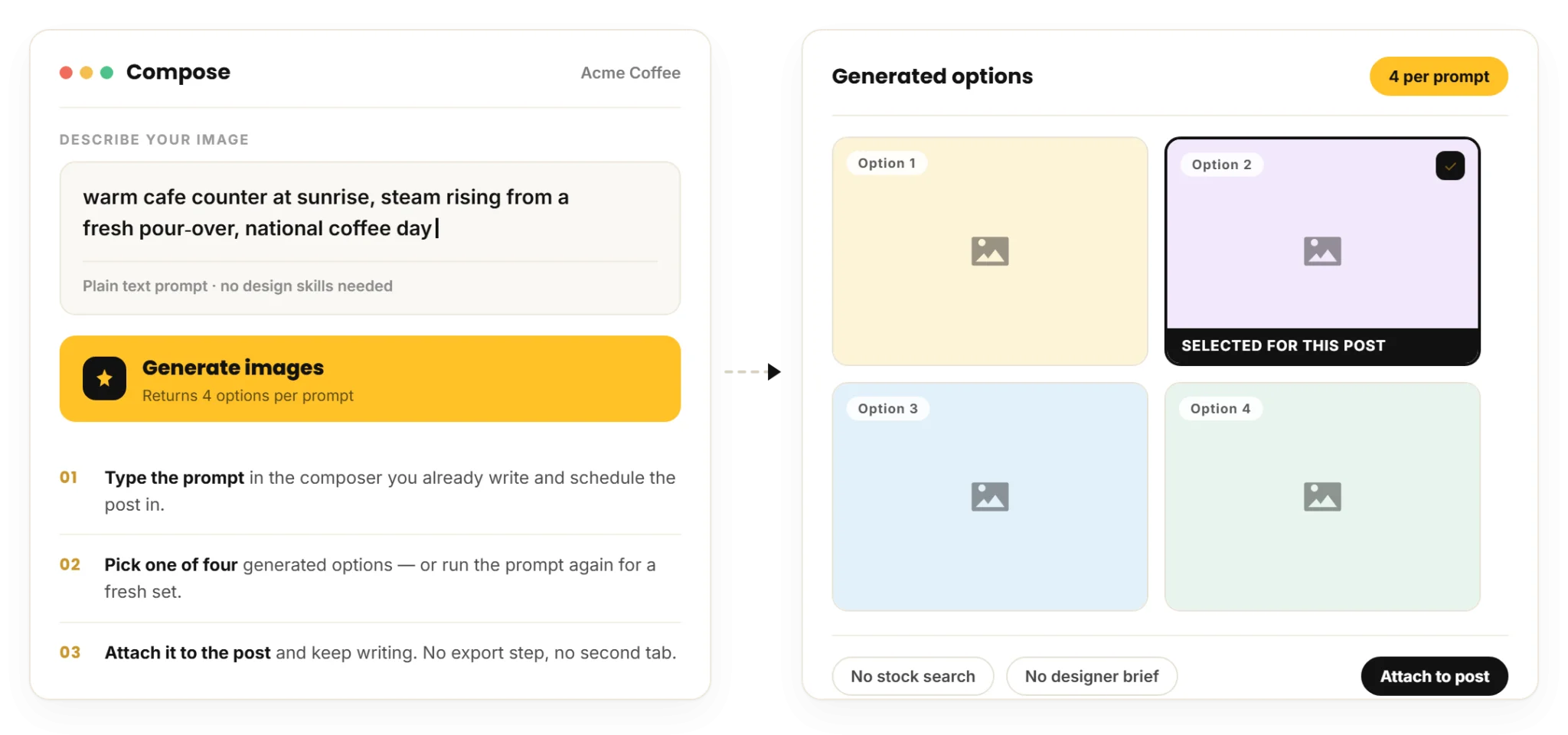
RecurPost’s AI image generator creates up to four unique images from a single text prompt in the same RecurPost AI composer where you write and schedule your post. As a result, you do not need design skills or a separate design file. After you enter your prompt, RecurPost generates up to four image options. You can then select the image that best fits your post and attach it without leaving the composer.
RecurPost’s four-options-per-prompt design supports agencies that manage multiple client accounts. For example, managing six client accounts from a single dashboard keeps your workflow streamlined and saves valuable time. Therefore, for a café client’s National Coffee Day post, you can enter a simple prompt to generate up to four image options and select the best one directly in the editor. Meanwhile, RecurPost keeps the image, caption, and platform-specific formatting in the same workspace, so you do not need to export content or switch to another tool.
Notably, use the AI image generator when a post needs a fresh concept and no licensed asset is available. However, avoid generating an AI image when the client needs a real photo of their product, business location, or team. Instead, upload or source an actual photo because an AI-generated image creates a likeness rather than showing the real subject.

How to Write a Prompt That Produces a Usable Client Image
RecurPost’s AI image generator accepts prompts with as little as three or four words, while more detailed prompts produce images that better match your requirements. For example, “energetic gym sunrise” generates usable image options, while “calm modern law office, wide shot, soft daylight” produces images that align more closely with a specific brand style. As mentioned earlier, RecurPost’s AI image generator generates up to four image variations for every prompt. This gives you multiple options to choose from, so you can select the one that best matches your client’s brand without having to write another prompt.
If you manage multiple client accounts, you can write a different prompt for each brand’s visual style. For example, a fitness brand can use “energetic gym sunrise,” while a law firm can use “calm modern law office.” RecurPost generates up to four image variations for each prompt, allowing you to select the most suitable image for each client in one workflow.
An agency may also manage clients with completely different brand styles. A skincare brand may need soft, minimal visuals, while a sports brand may require bold and energetic imagery. With AI image generation, the team can create visuals suited to each brand by adjusting the prompt for every post.
RecurPost also simplifies the content calendar workflow by allowing agencies to create visuals as they build their monthly content plan. As each post is created, the team can generate a relevant image without leaving the workflow. This means they do not have to set aside separate time to source images for every post. It also helps them to move from content planning to publishing more efficiently.
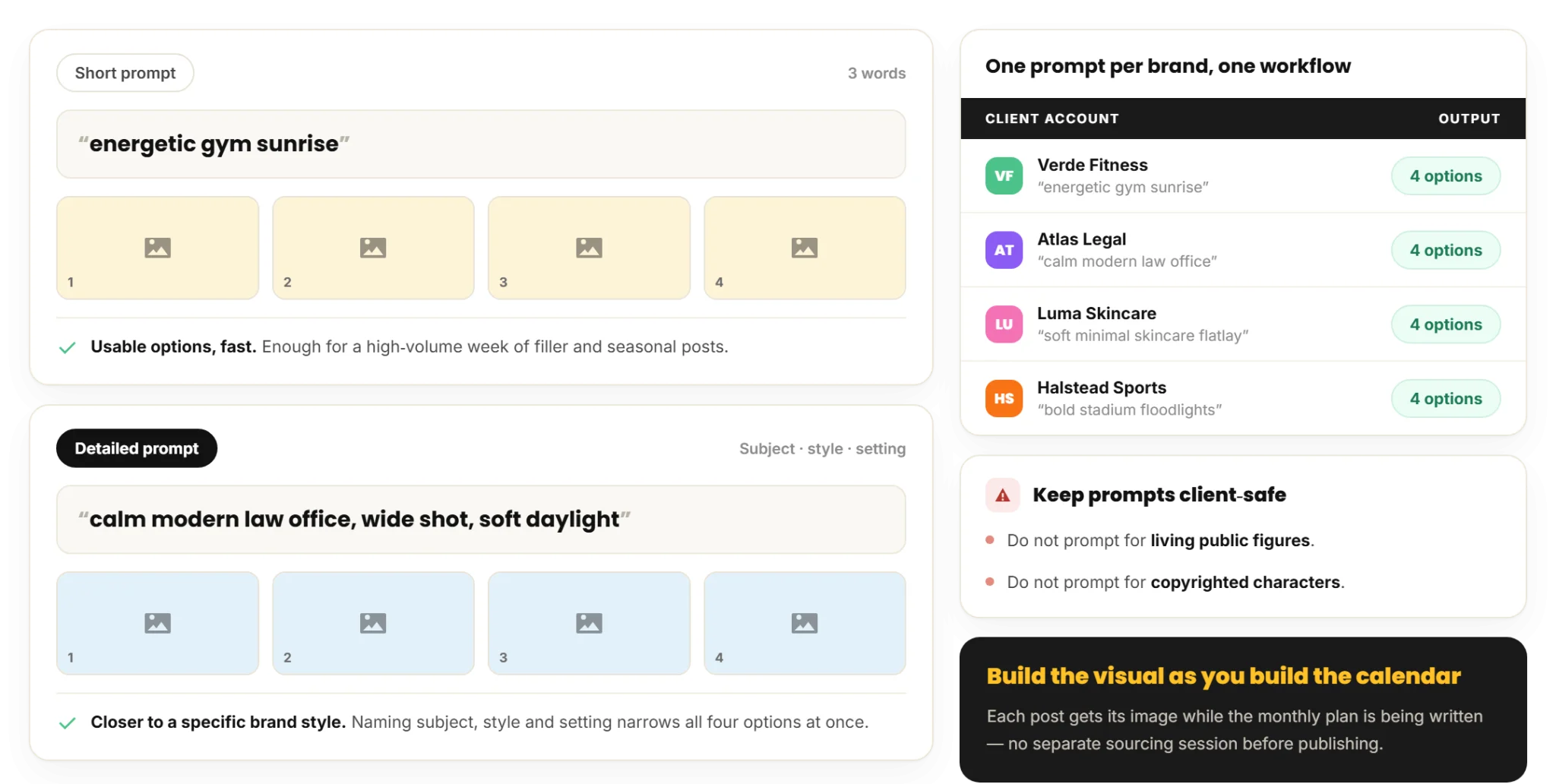
Note: RecurPost’s AI image generator supports both short prompts for faster content creation and detailed prompts for brands with specific visual requirements. However, do not use prompts that include living public figures or copyrighted characters. This is primarily because the generated images may not be suitable for a client-safe workflow.
Choosing Between a Generated Image and the Royalty-Free Library
RecurPost’s AI image generator creates original images that do not exist yet, while RecurPost’s royalty-free image library finds photos that already do. Generate an image when the post needs a unique, concept-led visual and no licensed asset covers it. Search the library instead when a suitable photo already exists and you do not need a custom visual.
Stock sourcing carries its own constraints. For where RecurPost’s royalty-free photos come from, what they cost, and where a stock library stops being the right answer for a client, see royalty-free media sourcing in the composer.
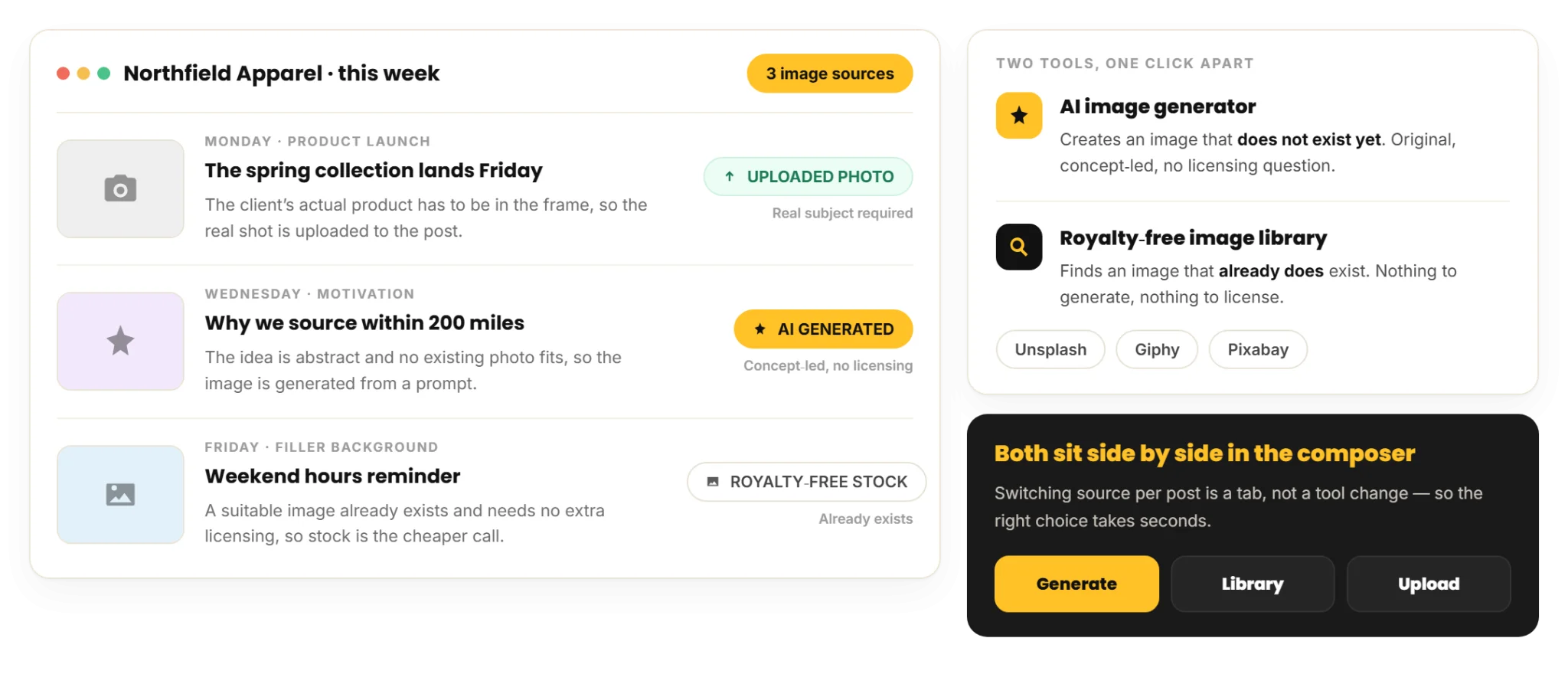
RecurPost keeps both options one click apart in the composer, so the choice takes seconds rather than a detour into a separate stock site or image tool.
Pairing AI Images with AI Captions in One Pass
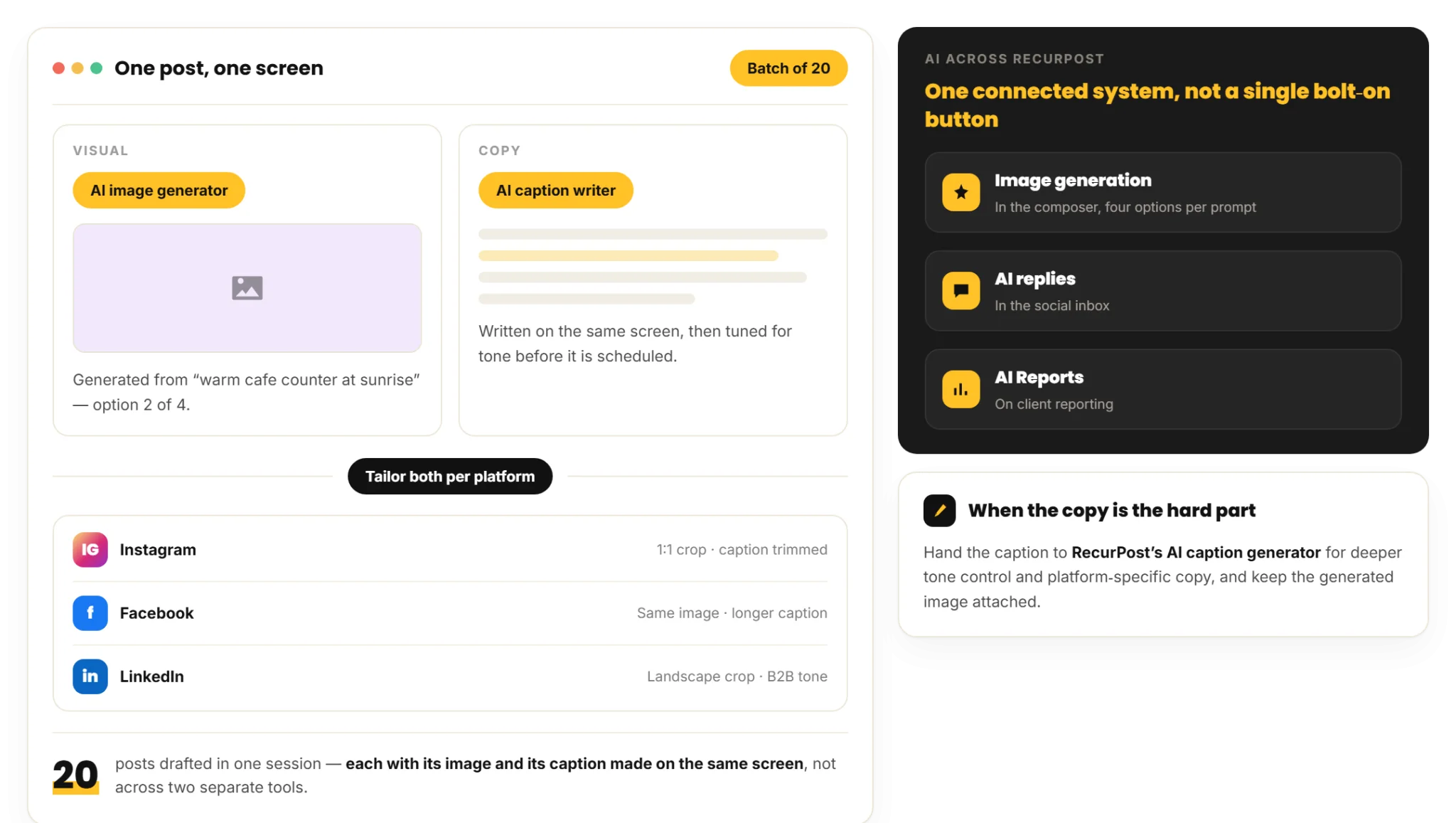
RecurPost combines AI image generation and AI caption writing in the same workflow, so your visuals and captions come together in one pass. You can generate an image, write or generate a caption, and tailor both for each platform before scheduling. Instead of offering AI as a standalone feature, RecurPost uses AI across the product, including:
- Image generation in the composer
- AI replies in the social inbox
- AI Reports
For instance, an agency creating twenty posts in one session will notice the difference. RecurPost generates the image and the caption for each post on the same screen. It then adapts the content for Instagram, Facebook, LinkedIn, and other supported social media platforms. As a result, you don’t need to switch between a separate image tool and a separate caption tool.
This combined workflow is suitable when you create content at scale across multiple accounts. However, if the caption needs more refined tone control, use RecurPost’s AI caption generator. It helps to create platform-specific copy that matches your audience and content goals.
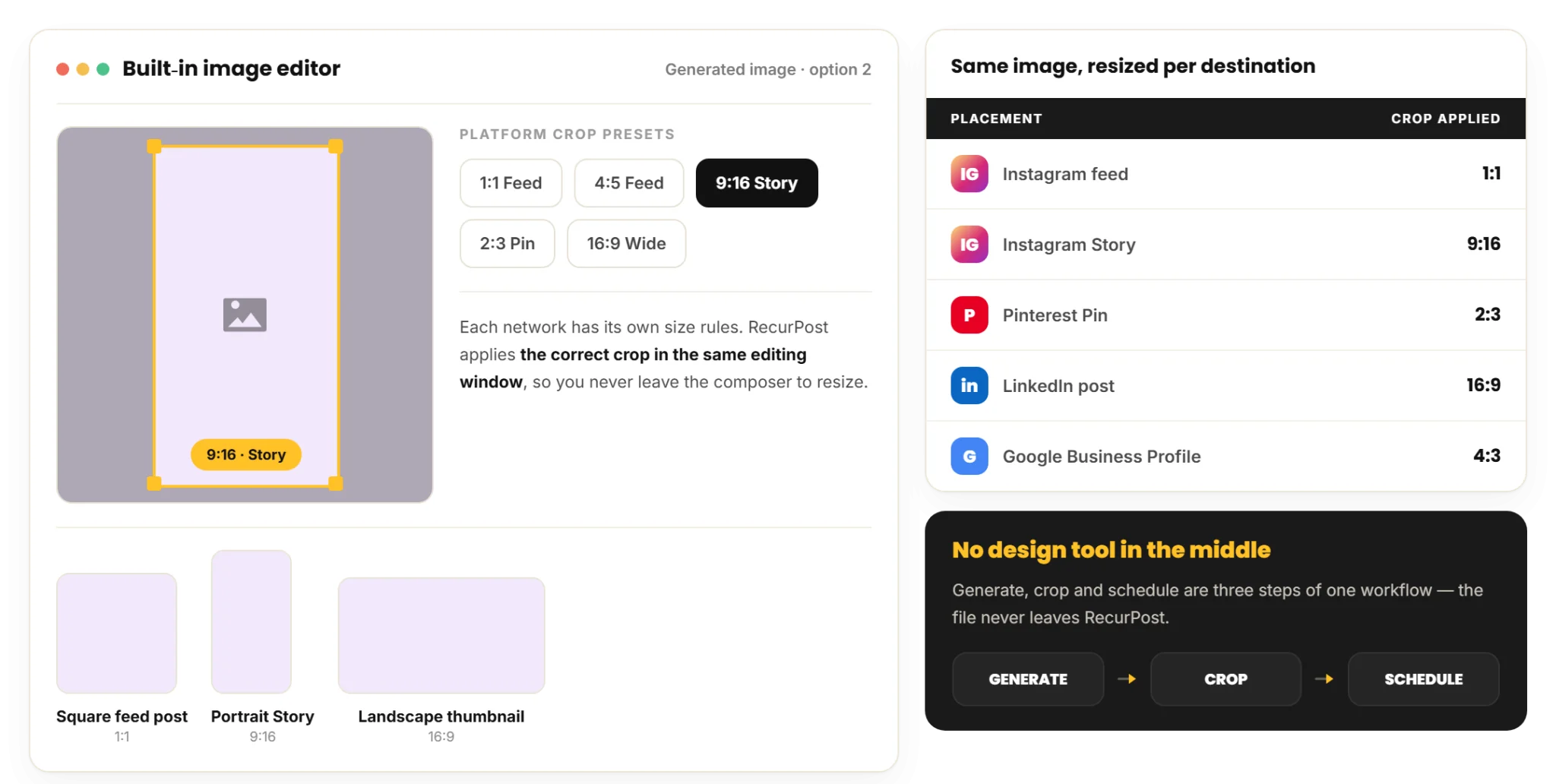
Fitting a Generated Image to Each Platform
Once you attach a generated image, RecurPost’s built-in image editor opens from the post and resizes it for each social media platform before you schedule. You crop the same generated image once per platform without leaving the composer and without re-running the prompt.
Each of the social media platforms RecurPost supports has different image size requirements. RecurPost’s composer covers the full editor toolset, including the per-platform crop presets, so a generated image is publish-ready in the same window where you wrote the caption.
AI Image Generator For Social FAQs
What is RecurPost's AI image generator?
RecurPost’s AI image generator is a feature in the composer that turns a text prompt into images for your social media posts. You enter a short description, and RecurPost generates up to four images that you can attach to a post. The feature works in the same composer where you write captions, edit images, and schedule posts.
How many images does RecurPost generate from one prompt?
RecurPost generates up to four unique images from a single prompt. You can review all four options and attach the image that best fits your client and the post. If none of the generated images meet your needs, you can enter a new prompt and generate another set of four images.
How detailed does the prompt need to be?
RecurPost’s AI image generator works with prompts as short as three or four words. However, adding more details about the subject, style, and setting produces images that more closely match your idea. For example, the prompt “cat watching television” generates relevant images, while “ginger cat watching television in a cozy living room” generates images that more closely match that description.
Is the AI image generator on every plan?
Yes. AI image generation sits in the composer on every RecurPost plan, and every new account starts with 10 AI image credits. One credit covers one generated image. When those run out, you add capacity with the AI Images add-on at $10 per month for a block of 200 generated images. The add-on costs the same on Starter, Personal, and Agency, so your cost tracks how many images you generate rather than which plan you are on. See plans and pricing for the current add-on price.
When should I generate an image instead of using a royalty-free stock photo?
Generate an image when your post needs a unique, concept-led visual that no royalty-free stock photo can provide. However, use a royalty-free stock photo when a suitable image already exists, and you don’t need a custom visual. RecurPost keeps AI-generated images and the royalty-free image library side by side in the composer, so you can choose the best option for each post.
Can I generate the image and the caption together?
RecurPost lets you generate an image and a caption for the same post in one workflow. You create the visual and the copy on the same screen, then tailor both for each social media platform before scheduling. This workflow helps you create large batches of content, such as 20 posts, without switching between two tools.
Generate the image, write the caption, and schedule the post in one RecurPost composer
RecurPost includes AI image generation in the composer, and every new account starts with 10 AI image credits. The Agency plan is $79 per month and covers 20 social accounts and 3 users, with extra teammates at $20 per month each, and extra image capacity is a $10 per month add-on covering 200 generated images.