

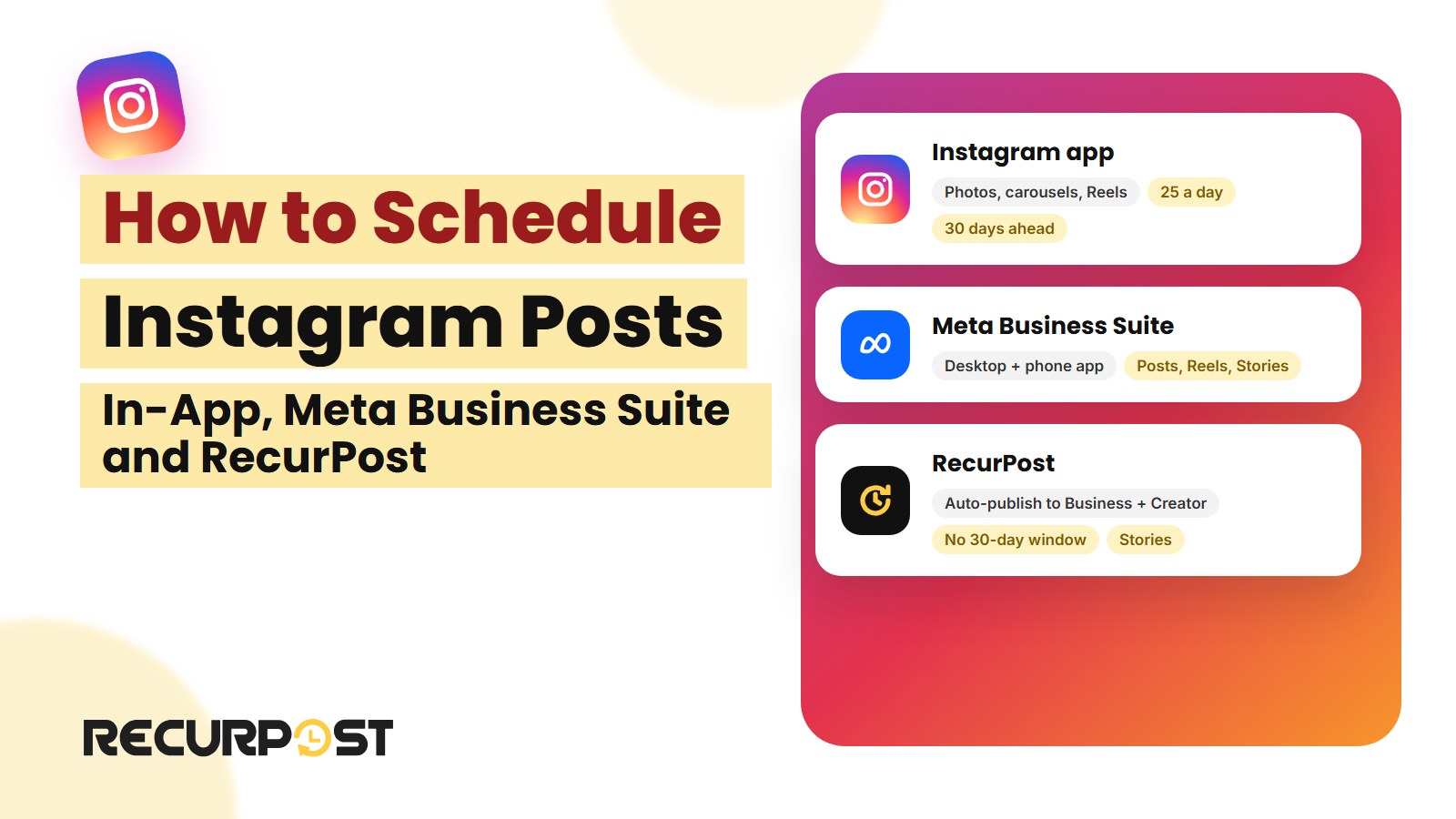
Yes, you can schedule Instagram posts in the Instagram app, in Meta Business Suite or with a scheduler such as RecurPost. The Instagram app supports scheduled photos, carousels, and Reels for public accounts, with a limit of 25 posts per day and 30 days in advance. Meta Business Suite allows you to schedule posts, Reels, and Stories through a desktop browser. RecurPost schedules and automatically publishes Instagram feed posts, carousels, Reels, and Stories to Instagram Business and Creator accounts. For personal profiles, RecurPost sends mobile reminders to help you publish content on time.
| Instagram app | Meta Business Suite | RecurPost | |
|---|---|---|---|
| Where | Instagram phone app | Desktop browser and Meta Business Suite app | Browser and RecurPost mobile app |
| Account needed | Public account (personal or professional) | Full control or Content permission on the Instagram account | Business or Creator for direct publishing; personal profiles by mobile reminder |
| Formats | Photos, carousels, Reels | Posts, Reels, Stories | Feed posts, carousels, Reels, Stories |
| How far ahead | Up to 30 days (up to a year with Meta One, mobile only) | Not published by Meta for Instagram | The 30-day in-app window doesn’t apply |
| Cost | Free | Free | 14-day free trial, no free plan; plans from $9 a month |
No credit card needed.
How to Schedule Instagram Posts in the Instagram App
The Instagram app allows you to schedule photos, carousels, and Reels directly from a public account without using an additional tool. Instagram’s Help Center outlines eight steps:
- Tap Create in the top left, or swipe right anywhere in Feed. Then tap Post or Reel.
- Select a photo or video and tap Next.
- Add a caption, effects or filters.
- Tap More options.
- Turn on Schedule this post (or Schedule this reel) and choose a date and time.
- Tap Done.
- Tap Back.
- Tap Schedule to confirm.
Instagram places the scheduling option under More options, rather than on the share screen. Anyone who thinks the feature has disappeared should look there first. Instagram also retains the privacy and audience settings selected when you schedule the post.
For example, a freelancer can schedule a client’s Friday Reel on Monday directly from a phone. This method suits users who manage one public account and primarily publish photos, carousels, and Reels. Instagram’s in-app scheduler doesn’t support Stories, product-tagged posts or posts with collaborators.
Instagram App Scheduling Limits: 25 Posts a Day, 30 Days Ahead
Instagram’s Help Center sets four limits on scheduling in the app:
| Limit | Value | What it means in practice |
|---|---|---|
| Account type | Public account | A private account sees no scheduling switch. |
| Daily cap | Up to 25 scheduled posts a day | The cap counts posts per day. A 26th post that day needs another day or another method. |
| Window | Up to 30 days in advance | The window counts days. A post for day 31 waits until the date comes into range. |
| Unsupported features | Product tagging, collaborative posts, sponsored posts, fundraisers | A post that uses any of these can’t be scheduled in the app. |
Instagram’s two limits measure different things. The 25 is a count of posts per day. The 30 is a number of days ahead.
Meta documents an exception to the 30-day scheduling window. Eligible public Instagram accounts with a Meta One Advanced, Expert, or Max subscription can schedule posts and Reels up to 365 days ahead. This extended scheduling option is available only on mobile devices.
Without that subscription, an agency planning a 90-day campaign for one client runs out of window on day 31. The standard 30-day window works well for weekly posting schedules and shorter campaigns. The in-app window doesn’t suit a quarter planned in one sitting.
What to Do When a Plan Needs More Than 30 Days or 25 Posts a Day
Three options cover a plan longer than 30 days or 25 posts a day:
- Meta Business Suite is the first option. It offers a desktop scheduling option, and its Help Center does not specify a scheduling window for Instagram posts.
- Another option is Meta One, which extends the scheduling window to 365 days on eligible mobile accounts.
- RecurPost is the third option. RecurPost uses its own content calendar to schedule Instagram posts, allowing you to plan further ahead without relying on Instagram’s 30-day in-app scheduling window.
RecurPost also sets daily publishing limits of 10, 20, or 80 posts per social account on the Starter, Personal, and Agency plans, respectively. Instagram’s API limit of 50 published posts in 24 hours still applies to all third-party schedulers, including RecurPost.
RecurPost’s monthly calendar helps you see scheduled posts on one calendar across every client account. You can also prepare the monthly content plan using the Instagram content calendar template and schedule the posts after the client approves the plan.
Which Instagram Accounts Can Schedule Posts?
Any public Instagram account, personal or professional, can schedule posts in the app. Private accounts cannot use this scheduling feature because Instagram requires a public account.
| Account | Can it schedule? | Why |
|---|---|---|
| Public personal account | Yes, in the Instagram app: photos, Reels, carousels | Instagram’s help requires a public account. |
| Private account | No, not in the Instagram app | In-app scheduling needs a public account. |
| Professional account (Business or Creator) | Yes, in the Instagram app | Professional accounts can’t be set to private, so they always meet the public rule. |
| Any account in Meta Business Suite | Yes, by role | You need Full control of, or Content permission for, the Instagram account. |
| Any account in RecurPost | Business and Creator publish directly; personal profiles get a reminder | Instagram accepts publishing from scheduling tools only on professional accounts. |
For instance, a cafe owner who gives a freelancer access to a private personal account must switch the account to public before using in-app scheduling. Instagram also allows users to change their account type to Business or Creator through the app’s settings and switch back to a personal account later.
Read our guide to what Instagram documents for Business, Creator and personal accounts to understand the differences between these account types.
How to Find, Edit and Reschedule Scheduled Instagram Posts
Instagram stores scheduled posts and Reels in a list called Scheduled content. You can access it from your profile in five taps:
- Tap Profile or your profile picture in the bottom right.
- Tap Menu in the top right.
- Below Your insights and tools, tap Scheduled content.
- Tap Options next to the post or Reel.
- Choose Delete, Edit post, Reschedule or Share now.
You can also access scheduled content from Instagram’s create screen. Tap Create, then Post or Reel, and select Scheduled. Choose the item and tap Options to access the same four choices. Share now publishes the item immediately instead of waiting for its scheduled time.
Meta Business Suite has a separate list for scheduled content on desktop. Go to Content, open the Posts and Reels tab, and select Scheduled. Click the … icon next to a post and choose Manage post to edit or reschedule it, move it to drafts, or delete it.
For example, an agency running 8 client accounts and a client moves a product launch by a week, the agency can return to the scheduled content list and update the dates of each post planned for that launch.
How to Schedule Instagram Posts on Desktop with Meta Business Suite
Meta Business Suite allows you to schedule Instagram posts from a desktop browser. You need Full control or Content permission for the Instagram account you want to publish to. Meta’s Business Help Center lists eight steps:
- Go to Meta Business Suite.
- Click Create post on the home page or the Content tab.
- Under Post to, choose your Instagram profile. Meta Business Suite also offers your Facebook Page or a Facebook Group here.
- Under Media, add your photos. Meta’s limit for Instagram is 10 photos.
- Under Post details, write the text, you can add hashtags or a location. The Facebook and Instagram versions can differ.
- Under Privacy settings, pick Public or Restricted. Meta applies this setting to Facebook only.
- Under Scheduling options, select the date and time.
- Click Schedule.
Meta Business Suite also offers two planning tools. The Active times button suggests publishing times based on when your followers were most active on Facebook and Instagram over the past 7 days. The planner displays a weekly or monthly calendar. You can hover over an upcoming day and click Schedule to add a post.
Meta’s desktop help page does not specify a scheduling window for Instagram posts. Check the date picker to see how far ahead you can schedule. To publish to Instagram and Facebook from the same composer, you must connect the Facebook Page and Instagram profile and add them to the same business portfolio.
The Meta Business Suite mobile app follows a shorter process. Tap Content and choose Posts, Reels, or Stories. Tap Create, add your text and media, and tap Next. Select Schedule for later, choose the date and time, and tap Schedule.
Meta Business Suite is a suitable option for an in-house marketer who manages one Facebook Page and one Instagram account from a laptop. It doesn’t suit an agency managing a dozen client portfolios, each with its own access and approvers.
How to Schedule an Instagram Story in Meta Business Suite
Meta Business Suite is Meta’s documented option for scheduling Instagram Stories. Instagram’s in-app scheduling help covers photos, Reels, and carousels, but not Stories. Meta’s Business Help Center lists four steps for scheduling a Story:
- Click Create story on the home page or the Content tab. Under Post to, choose your Instagram profile, your Facebook Page or both.
- Under Media, upload up to 10 photos or videos. Edit crops, trims and add text, mentions or stickers. Add link adds a link to the Story.
- Under Scheduling options, choose Schedule and pick the date and time.
- Click Schedule.
You can find scheduled Stories in Meta Business Suite under Content, then Stories, and Scheduled. Click the … icon next to a Story to publish it immediately, reschedule it, or delete it.
Which Instagram Formats Can You Schedule With Each Method?
The Instagram app, Meta Business Suite, and RecurPost support different Instagram formats and scheduling limits.
| Format | Instagram app | Meta Business Suite | RecurPost |
|---|---|---|---|
| Feed photo or video | Yes | Yes (up to 10 photos per post) | Yes, auto-published |
| Carousel | Yes (Instagram allows up to 20 items) | Yes (up to 10 photos) | Yes, up to 10 images or videos |
| Reel | Yes | Yes | Yes, auto-published |
| Story | Not listed in Instagram’s scheduling help | Yes (up to 10 photos or videos) | Yes, auto-published to Business and Creator accounts |
| Live | Live broadcasts can be scheduled as an event, not as a post | Not schedulable as a post | Not schedulable as a post |
Each method also has its own carousel limit. Instagram supports carousels with up to 20 items, both in the app and through its publishing API. Meta Business Suite’s help page specifies a limit of 10 photos for Instagram. RecurPost supports Instagram carousels with up to 10 images or videos. This is RecurPost’s own limit, not Instagram’s platform limit.
Stories published through Instagram’s API do not support the interactive stickers or music available in the Instagram app. If a Story requires a poll sticker or music, you must publish it directly through the Instagram app.
For format-specific dimensions and aspect ratios, see the Instagram post size guide.
How to Schedule Instagram Posts with RecurPost
The RecurPost Instagram scheduler schedules feed posts, carousels, Reels, and Stories for Business and Creator accounts and publishes them automatically without a phone reminder. You can schedule an Instagram post with RecurPost in six steps:

- Connect the account. On the Social Profiles page, select Instagram and connect through Facebook login or direct Instagram login. Direct Instagram login does not require a Facebook Page. On the Agency plan, you can send a password-free client profile invite by email or link. The client connects their own account without sharing a password.
- Create the post. Click Share a Post and add an image or video with its caption. Open the Instagram tab and select Feed, Reel, or Story. RecurPost also lets you select Reel and Story together. The Share on Feed too option publishes a Reel to the feed as well.
- Add Instagram options. RecurPost supports a scheduled first comment, people and product tags, location, collaborators, a Reel cover, and audio. The audio picker requires a Business or Creator account connected through Facebook login. Instagram’s app allows 5 hashtags per post; the publishing API accepts up to 30 per caption. See the Instagram hashtag limits and placement guide for which number to follow.
- Schedule the post. For a one-time post, select Schedule and choose the date and time. Select Post Now to publish it immediately. Check the best times to post on Instagram before choosing a publishing time. To reuse content, click Add to Library and let the library schedule it.
- Check the Queue and grid. RecurPost lets you edit a scheduled post in Queue before it publishes. The Instagram grid calendar preview shows how scheduled posts will appear on the client’s profile grid.
- Plan posts in bulk. Use bulk scheduling from a CSV to prepare a month or quarter of content. RecurPost recommends importing up to 250 posts at a time. The Agency plan costs $79 per month for 20 social accounts and allows clients to approve queued posts before publication.


For example, a freelancer managing 5 retail clients can prepare a month’s worth of Reels and feed posts in one CSV import. This process also allows the freelancer to manage client accounts without requesting their passwords.
RecurPost does not automatically retry failed posts. Instead, it checks each failure against a catalog of more than 850 documented platform errors and displays the error name, cause, and recommended fix. You can correct the post and retry it from History.
What RecurPost Publishes Directly and What It Sends as a Reminder
RecurPost publishes directly to professional Instagram accounts and sends mobile reminders for everything else. The type of Instagram connection determines the publishing method.
| Account or connection | How RecurPost publishes |
|---|---|
| Business or Creator account, connected through Facebook login or direct Instagram login | Direct publishing of feed posts, carousels, Reels and Stories |
| Personal Instagram profile | A push notification at the scheduled time through RecurPost mobile app reminders. You post it by hand, and the app must be installed. |
| Facebook login connection that Instagram hasn’t granted direct publishing | Mobile reminder for Stories |
| Carousel with more than 10 items | The first 10 items publish. Media beyond the tenth doesn’t. |
Instagram allows scheduling tools to publish content only to professional accounts. A connection without Instagram’s content-publishing permission is blocked from direct publishing too. To fix a blocked connection, switch the Instagram account to Business or Creator in the Instagram app, then reconnect it to RecurPost.
Why You Can’t Schedule or Publish an Instagram Post, and How to Fix It
Instagram scheduling can fail for six common reasons across the three methods:
- The scheduling option is missing in the Instagram app. This can happen because the account is private or because the scheduling option is under More options. Make the account public or check under More options. If the option is still missing, update the Instagram app.
- The post uses an unsupported feature. Instagram’s in-app scheduler does not support product tags, collaborative posts, sponsored posts, or fundraisers. Remove the unsupported feature or use another scheduling method.
- The post exceeds Instagram’s in-app scheduling limits. The app allows up to 25 scheduled posts per day and a scheduling window of 30 days. Adjust the number of posts or choose an earlier date.
- Meta Business Suite does not show Planner or Content. This can happen when you do not have Content permission. Check the permissions in the business portfolio and confirm that you have selected the correct account in the top-left corner.
- A RecurPost post fails to publish. RecurPost identifies three common causes: an expired Instagram connection, media that does not meet Instagram’s format requirements (JPEG images only, with feed aspect ratios from 4:5 to 1.91:1), or a video that Instagram is still processing. Reconnect the account from the Social Profiles page or correct the media, then retry the post from History.
- The Instagram profile reaches its API rate limit. Instagram allows up to 50 posts published through its API in 24 hours per profile. If the profile reaches this limit, wait for the 24-hour window to clear before publishing the next post.
Instagram App, Meta Business Suite or RecurPost: Which Method Fits
The Instagram app, Meta Business Suite, and RecurPost differ in cost, scheduling windows, and account capacity.
| Instagram app | Meta Business Suite | RecurPost | |
|---|---|---|---|
| Cost | Free | Free | 14-day free trial, no free plan; from $9 a month |
| Account needed | Public account | Role access to the Page and Instagram account | Business or Creator for direct publishing; personal profiles by reminder |
| How far ahead | Up to 30 days, 25 posts a day | Not published for Instagram | No 30-day window |
| Formats | Posts, carousels, Reels | Posts, Reels, Stories | Posts, carousels, Reels, Stories |
| Devices | Phone | Desktop browser and phone app | Browser and mobile app |
| Team approvals | No | No | Client approval on the Agency plan |
| Multiple accounts | One account at a time | One business portfolio of assets | 2 on Starter, 5 on Personal, 20 on Agency |
| Bulk upload | No | No | CSV import, up to 250 posts recommended per import |
| Publishing type | Automatic | Automatic | Automatic for professional accounts; reminder for personal profiles |
The Instagram app suits users who manage one public account and publish simple posts. Meta Business Suite suits users who manage a Facebook Page and an Instagram account from a desktop, including Stories. RecurPost suits agencies and freelancers who manage multiple client accounts, plan content months ahead, or require client approval before publishing. On the Agency plan, RecurPost supports internal and external approval steps.
RecurPost doesn’t fit one personal account that needs a few posts a month. You can compare what each plan includes. You can also read the RecurPost versus Meta Business Suite for a detailed review of both tools.
Instagram Scheduling FAQs
Can you schedule Instagram posts?
Yes, you can schedule Instagram posts in three ways. The Instagram app schedules photos, carousels, and Reels for public accounts. Meta Business Suite schedules posts, Reels, and Stories through its desktop browser and mobile app. RecurPost schedules and automatically publishes content to Business and Creator accounts.
How far in advance can you schedule Instagram posts?
The Instagram app allows you to schedule posts up to 30 days in advance. Eligible public accounts with a Meta One Advanced, Expert, or Max subscription can schedule posts up to 365 days ahead on iPhone and Android. Meta Business Suite’s desktop help page does not specify a scheduling window for Instagram posts. RecurPost uses its own content calendar, so its scheduling is not limited by Instagram’s in-app window.
How many Instagram posts can you schedule per day?
You can schedule up to 25 posts per day in the Instagram app. This limit applies to each day, not to the total number of scheduled posts.
Can you schedule Instagram Stories?
Yes, Meta Business Suite allows you to schedule Instagram Stories with up to 10 photos or videos per Story. Instagram’s in-app scheduling help covers photos, Reels, and carousels, but not Stories. RecurPost automatically publishes Stories to Business and Creator accounts. However, Stories published through Instagram’s API do not support the interactive stickers or music available in the Instagram app.
Can you schedule Instagram posts on a computer?
You can schedule Instagram posts on a computer through Meta Business Suite in a desktop browser. Instagram.com lets you create and publish posts, but it does not provide a native scheduling option. A social media scheduler such as RecurPost also allows you to create and schedule posts through a browser.
Can you schedule Instagram posts without a professional account?
Yes, a public personal account can schedule photos, Reels, and carousels directly in the Instagram app. Private accounts cannot use this feature. RecurPost sends mobile reminders for personal profiles instead of publishing posts directly.
Can you schedule Instagram posts for free?
Yes, the Instagram app and Meta Business Suite allow you to schedule Instagram posts for free. RecurPost offers a 14-day free trial and paid plans starting at $9 per month. It does not have a free plan.
Why can’t I schedule posts on Instagram anymore?
Instagram’s in-app scheduling is unavailable for four documented reasons. The account is private, or the scheduling option is under More options rather than on the final sharing screen. The post may also use an unsupported feature, such as product tags, collaborative posts, sponsored posts, or fundraisers. Scheduling can also fail if you exceed the limit of 25 posts per day or try to schedule more than 30 days ahead.
Where are scheduled posts on Instagram?
You can find scheduled posts on Instagram by going to Profile, then Menu, and selecting Scheduled content. You can also find them from the create screen by selecting Create, then Post or Reel, and tapping Scheduled. Meta Business Suite lists scheduled posts under Content, then Posts and reels, and Scheduled.
Do scheduled Instagram posts get fewer views?
No. Instagram head Adam Mosseri said on 19 March 2026 that scheduling a Reel does not reduce its reach. Instagram’s ranking documents also do not list the publishing tool as a ranking signal. Our review of what platforms say about scheduling and reach covers all 10 networks.
Try RecurPost
RecurPost’s Agency plan includes 20 social accounts for $79 per month, with no per-user seat charge. The 14-day free trial includes direct Instagram publishing to Business and Creator accounts, the Instagram grid calendar, and scheduled first comments. You can start a 14-day free trial without a credit card or see how the RecurPost social media scheduler supports the other networks you manage.