

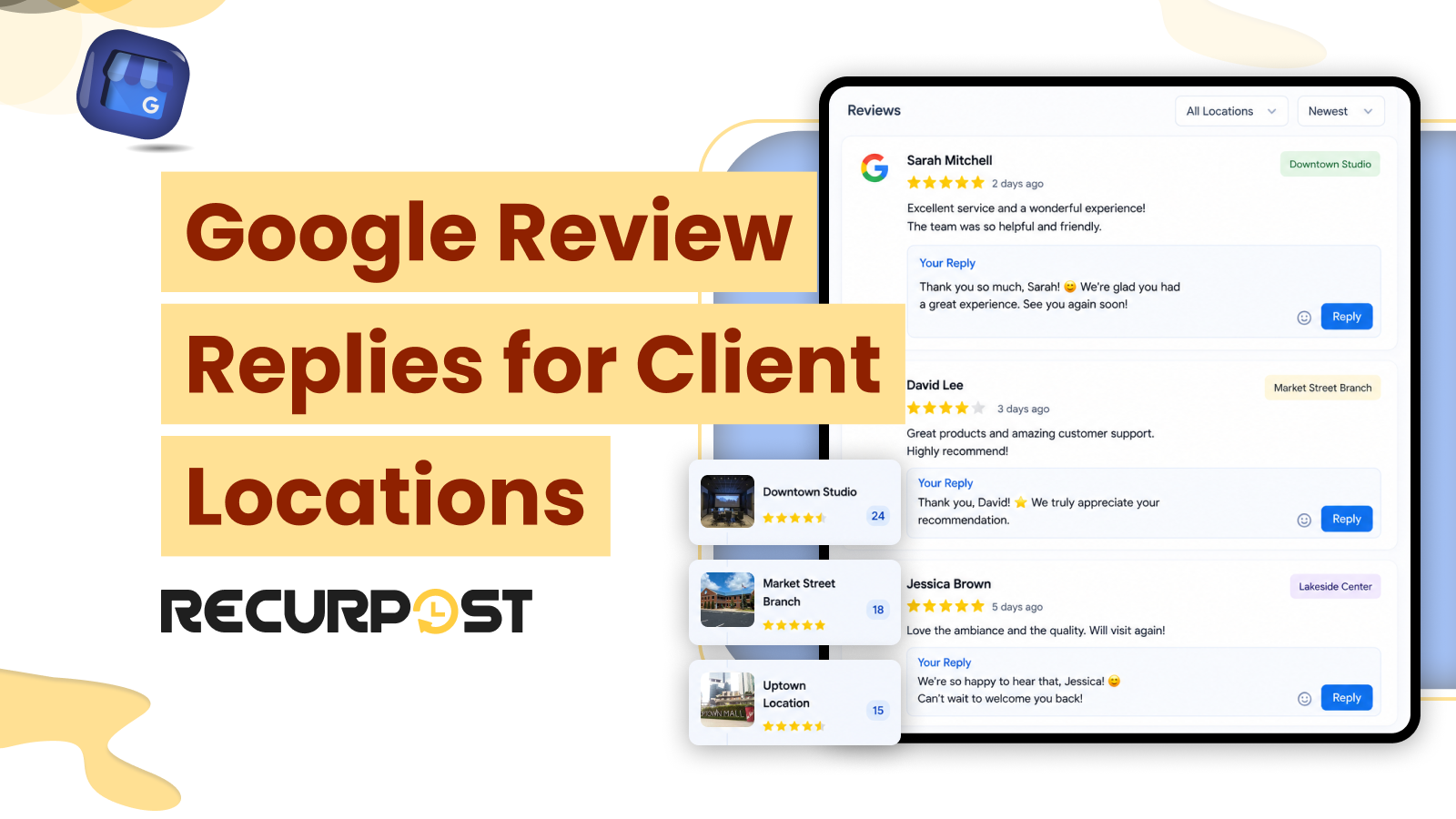
RecurPost replies to Google reviews from its social inbox. An agency can post a reply, edit it later, or remove it, and each action publishes to the client’s live Business Profile without anyone opening Google. Every verified location connects as its own account, so a client with 6 locations produces 6 review queues in one inbox instead of 6 Google logins.
The usual alternative is slower. Replying to a client’s Google reviews normally requires access to the client’s Google account, so agencies hold one credential set per client or request access each time a review arrives. A review stays published for every searcher who reads it, and the wait for a reply sits on the profile in public once the reply lands.
RecurPost AI drafts each reply for an account manager to approve. It also converts a five-star review into a branded testimonial image ready for scheduling. Client access runs through a link invite that the client authorizes, so no client password changes hands on the Agency plan.

Google Review Actions RecurPost Performs Without a Google Login
All of these actions run inside the social inbox and publish back to the client’s Business Profile:
| Action | What happens |
|---|---|
| Reply to a review | AI drafts the reply, the account manager adjusts the wording and approves it, and the reply publishes to the live Business Profile. |
| Edit a reply | A published reply can be revised later from the same inbox, and the change reaches the Business Profile. |
| Remove a reply | Removes RecurPost’s reply only. The review itself stays published, because Google alone decides whether a review stays. |
| Assign, label and mark as reviewed | Routes each review to the team member who owns that location and moves it from To Review to Assigned to Reviewed. |
| Turn a five-star review into a testimonial image | AI builds a branded testimonial image that can be scheduled to the client’s other channels. |
The removal action applies to the reply rather than to the review. Agencies therefore treat removal as a correction tool for their own wording.
RecurPost drafts for a person to review and never auto-publishes a response, so every published reply is under human judgment. These actions fit teams that require a human read before a reply reaches the public. They are not an ideal fit for a team that wants automatic replies triggered by keyword rules, because RecurPost drafts and then waits for approval.

One Inbox for Every Verified Google Business Profile Location
RecurPost connects each verified Google Business Profile location as its own account, and every account feeds the same inbox. Each account carries its own review queue, time zone, and report. As a result, a client with 6 verified locations occupies 6 accounts, and reviews from all 6 arrive in one queue.
Where Google Reviews Arrive
RecurPost presents each review as an inbox notification, and the list sorts by newest or oldest alongside every other interaction. Every new review enters the To Review tab, and the inbox organizes work across four tabs:
- To Review
- Assigned
- Reviewed
- Labels
An assigned review moves to the Assigned tab, and a handled review moves to Reviewed after a team member marks it. The left panel lists every connected location with a red count of notifications left to review, which identifies the location holding unanswered reviews before anyone opens an individual thread. On the first connection, RecurPost backfills the last 30 days of activity for that account, so a newly connected location opens with a month of recent reviews rather than an empty queue.

How Locations Count Against the Plan
Each Business Profile location counts as one account against the plan total. RecurPost’s Agency plan covers 20 social accounts and 3 users at $79 per month, and extra accounts cost $4 each. A location rollout therefore raises cost in $4 increments rather than forcing a jump to a higher tier.
RecurPost aggregates every location into one queue while preserving each location as a distinct account. This structure fits clients where every branch holds its own verified profile. It is less suited when a team wants a single undifferentiated stream with no per-location attribution.

Permissions and Prerequisites Before Reviews Appear in RecurPost
Three things have to be true before a client’s Google reviews reach the inbox:
- The location is verified. Only a verified Google Business Profile location connects as an account.
- The client authorizes the connection. On the Agency plan, each location reaches RecurPost through a link invite that the client approves once with their own Google sign-in. No team member needs the client’s Google password.
- The location has room on the plan. Each location uses one of the plan’s social accounts.
Locations remain separate by design, and RecurPost applies that separation at the workspace level. A workspace holds its own accounts, libraries, calendar, inbox, and reports, which keeps one client’s reviews away from another’s. Roles and permissions apply per workspace rather than per location, so access scoping stops at the workspace boundary. This is particularly relevant for teams that expect each location manager to see only their own reviews. The workspace management page covers the setup that keeps regions separate.
Converting a Five-Star Google Review Into a Scheduled Testimonial Post
RecurPost AI converts a five-star Google review into a branded testimonial image, ready for scheduling to the client’s channels. The conversion runs from the same inbox that holds the review. An agency then publishes that image to the client’s other connected channels in the same manner as any scheduled post, including the client’s Business Profile through the Google Business Profile post scheduler. The image specs sit on the Google Business Profile post image size guide and the timing on the best time to post on Google Business Profile guide.
The value of this conversion rests on adjacency rather than on the image itself. Proof assets built outside a scheduler require an export step before publication. RecurPost removes this step because the review, the reply, and the content calendar occupy one product, so the asset reaches the calendar without a design request.
Client approval applies to this asset in the same way it applies to every other scheduled post. RecurPost delivers queue approval through a shared calendar link, and the client reviews the queue without a RecurPost login. Internal and external approval workflows are included on RecurPost’s Agency plan at $79 per month. A strict creative sign-off chain therefore fits this workflow rather than conflicting with it.
Agencies also confirm each client’s policy on republishing named customer feedback before the first testimonial post is published.
This workflow fits agencies expected to produce proof content from client goodwill rather than from photography budgets. It is less suited in scenarios where every client-facing asset requires bespoke design direction from a designer.

Unsupported Actions and Platforms: Google Review Limits Worth Knowing Before a Trial
RecurPost handles the reply side of Google reviews and nothing beyond it. RecurPost replies to Google reviews, and it does not generate them. The platform does not support review request campaigns, email or SMS solicitations, or customer prompts designed to encourage new reviews. An agency evaluating RecurPost against a reputation platform must read that boundary as the defining one.
Four further limits shape what a Google-heavy retainer covers inside RecurPost:
- Third-party review sites. RecurPost does not monitor Yelp, Trustpilot, or G2. Inside RecurPost, review coverage stops at Google Business Profile locations and Facebook Page reviews.
- Google Messaging. RecurPost publishes posts and media, and Business Profile chat remains unsupported.
- Google Q&A. Answering Business Profile questions stays inside Google.
- Profile content. Editing products, services, and menus stays inside Google, and RecurPost covers publishing alone.
Two limitations of the broader inbox also apply to review management. RecurPost drafts a reply for a person to review rather than publishing one automatically, which rules out keyword-triggered auto-replies. Roles and permissions also apply per workspace rather than per location, which matters for teams that expect each location manager to access only their own reviews.

The Same Inbox Holds the Rest of the Conversation
RecurPost’s unified inbox carries DMs, comments, mentions, and reviews from every connected Facebook Page, Instagram Business profile, LinkedIn Company Page, and Google Business Profile location. Inbox labels and team assignment help route each conversation to the appropriate team member for a response. Therefore, Google reviews do not pile up in one account manager’s queue. RecurPost’s unified social inbox covers that workflow across every connected account type, inside the wider collaborate and engage feature set.
A Google review therefore appears next to Facebook Page comments, Instagram comments, direct messages, and LinkedIn post comments. Notably, publishing coverage and inbox coverage differ. RecurPost publishes to 10 platforms, while the inbox receives interactions from 4 account types. X, TikTok, and YouTube remain outside the inbox because platform APIs restrict third-party access, and publishing to X continues normally. Pinterest, Threads, and Bluesky carry no inbox support at present.
This placement rewards agencies that already manage a client’s Facebook Page and Instagram Business profile inside RecurPost. Google reviews join an existing daily queue, and the team adds no second tool or second routine. Teams that handle Google reviews alone gain less from the arrangement because the shared queue carries most of the value.

Try RecurPost on one client’s locations
RecurPost’s Agency plan covers 20 social accounts and 3 users for $79 a month, and extra teammates cost $20 a month each. Every verified Business Profile location counts as one of those accounts, and extra accounts run $4 a month each.
Connect one client’s locations, let a week of reviews accumulate, and see whether a single queue beats several Google sign-ins. See plans and pricing for the full plan structure and every add-on, or start a 14-day free trial with no credit card. RecurPost also runs the scheduling, approvals, and reporting side of the same client work, which the RecurPost social media management platform covers in full.
FAQs on Google Review Replies
Can RecurPost reply to Google reviews?
RecurPost replies to Google reviews from its unified inbox. You can post a reply, edit that reply later, or remove it, and each action reaches the client’s Business Profile without a Google login. RecurPost drafts the reply with AI first, and the account manager approves the wording before it is published.
Does RecurPost work for a client with multiple locations?
RecurPost connects every verified location of a Business Profile as its own account. A six-location client becomes six accounts on one calendar and one inbox, each with its own time zone and its own report. Those six locations use six of the 20 social accounts included in RecurPost’s Agency plan.
Can RecurPost ask customers for Google reviews?
RecurPost cannot ask customers for Google reviews. RecurPost has no review request campaign and no SMS or email solicitation. An agency that needs review volume to grow must run a dedicated reputation platform alongside RecurPost.
Does RecurPost monitor reviews on Yelp or Trustpilot?
RecurPost does not monitor Yelp, Trustpilot, G2, or any other third-party review site. Inside RecurPost, reviews mean Google reviews from connected Business Profile locations and Facebook Page reviews. The same inbox also carries comments, Page conversations, mentions, direct messages, and fan updates from the Facebook Pages, Instagram Business profiles, and LinkedIn Company Pages it connects.
Can RecurPost answer Google Business Profile questions or messages?
RecurPost does not answer Google Business Profile questions or handle Business Profile chat. The answering happens inside Google. Review replies are the one part of the Business Profile conversation RecurPost does own end to end.
What does an agency need before Google reviews appear in RecurPost?
An agency needs a verified Business Profile location and the client’s authorization for each one. On the Agency plan, the client approves the connection once through a RecurPost link invite and signs in with their own Google account. No password changes hands, and reviews start arriving in the inbox from that point.