
WHAT’S NEW IN RECURPOST
Build the report you actually want, and a much better app on your phone
Last month we rebuilt your Overall Reports around the questions you ask most. The obvious next question came straight back at us: what if my questions are different?
So this month you get Custom Reports, where you pick the metrics yourself. X Reports opened up to everyone. And the mobile app landed a major update, including a completely redesigned posting flow.
Here’s what shipped in August.
Custom Reports: You Choose What Goes In
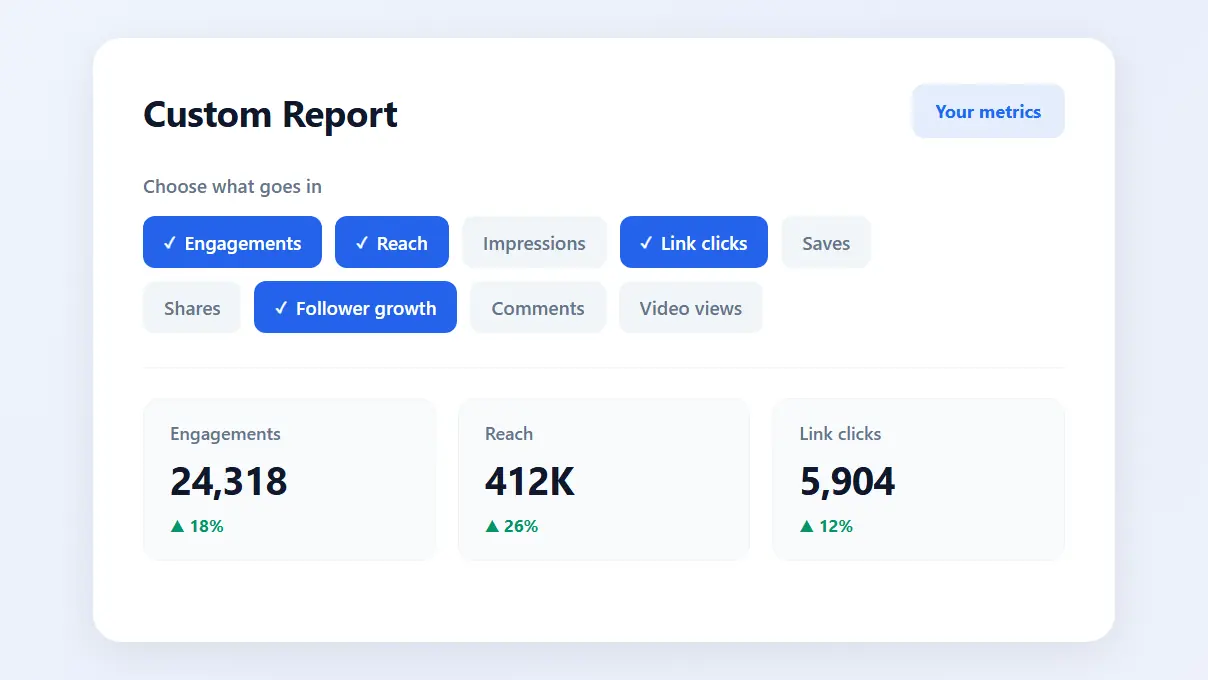
Every report we build makes an assumption about what matters to you. Custom Reports removes the assumption. You select the metrics you want to include, and that’s the report you get.
- Build a fully customized report from the metrics you select
- Compare reports across multiple social profiles, each with its own combination of metrics
- Leave out the numbers you never look at, so the ones you care about aren’t buried
If you’re on an Agency plan, Custom Reports are included in your plan at no extra cost. On every other plan, you get a 14-day free trial to try them properly. When the trial ends, write to us at support@recurpost.com and we’ll keep your access on.
X Reports Are Now Open to Everyone
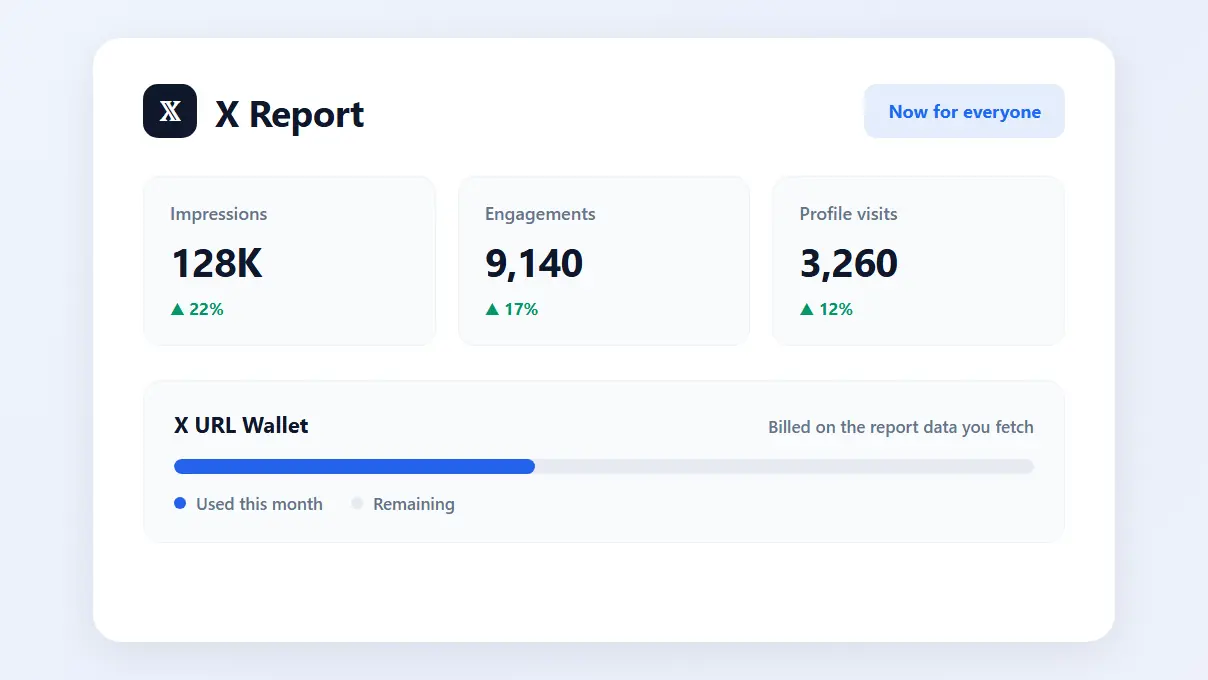
X Reports used to be limited to a subset of accounts. They are now available to every RecurPost user.
One thing to know before you dive in: X Reports are connected to your X URL Wallet, and you’re charged based on the report data you pull. Fetch more, spend more. Fetch nothing, spend nothing.
It’s a better trade than the old restriction. Everyone gets access, and you only pay for what you actually use.
The Mobile App Just Got a Major Update
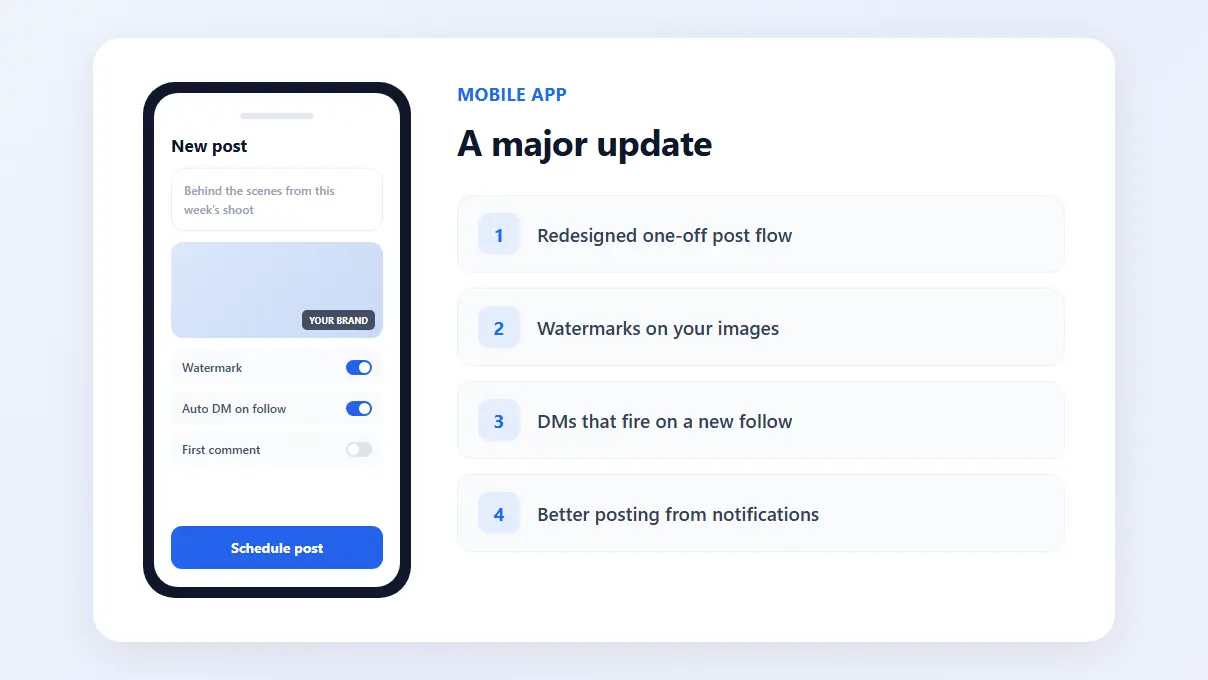
The gap between what you can do at your desk and what you can do from your phone just got a lot smaller. Four things changed:
The one-off post flow is completely redesigned. More options and controls, matching what you get on the web, in a flow that’s simply easier to move through.
You can watermark images from the app. Add a watermark to an image directly on your phone, so your branding looks the same wherever you happen to be posting from.
DM automation caught up with the web. You can now choose to send automated DMs only when someone follows you, so the message lands at the moment it’s most likely to be read.
Posting from a push notification is much better. That flow has been redesigned too, with more options and settings, and a simpler interface to get through them.
Go Build a Report
Custom Reports are live in your account right now. Open Reports, pick the metrics that matter to you, and see what the picture looks like when it’s built around your questions instead of ours. And if you post from your phone, update the app to pick up everything above.
Thank you for being part of the RecurPost community.
P.S. Don’t forget to support us! Like and follow the RecurPost LinkedIn Page for expert social media, AI automation, and content strategy insights.